Less reading.
More planning.

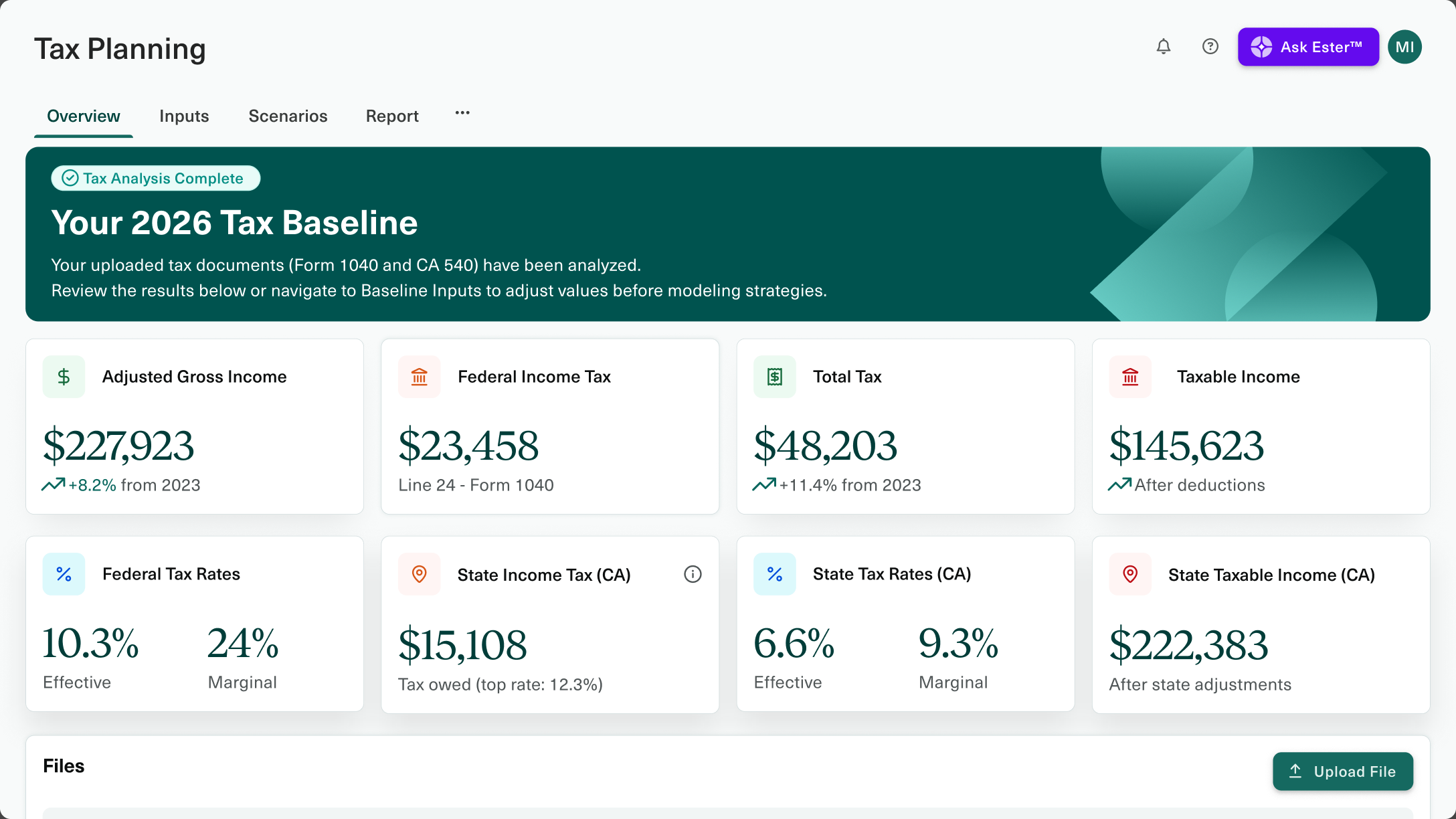
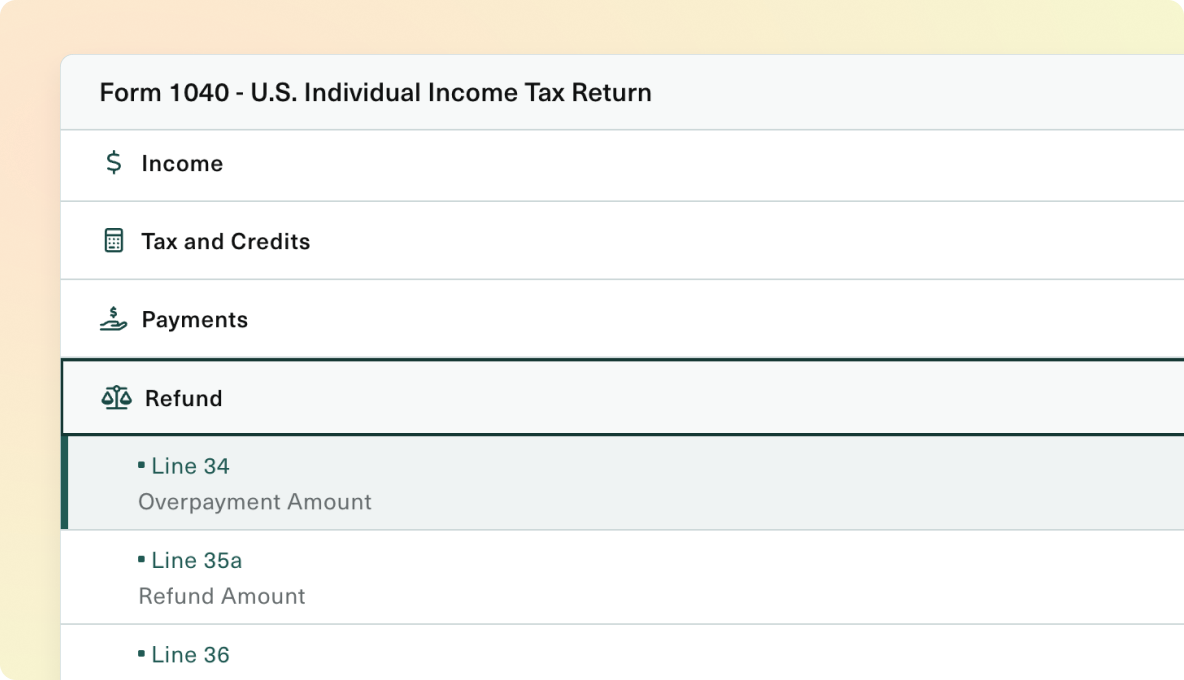
Upload your client's 1040 package and Ester® extracts and validates every figure automatically. No retyping, no reconciling, no spreadsheet. The manual review that eats 45 to 90 minutes per return takes minutes instead, and every number traces back to the return.

The answers are in there. Somewhere

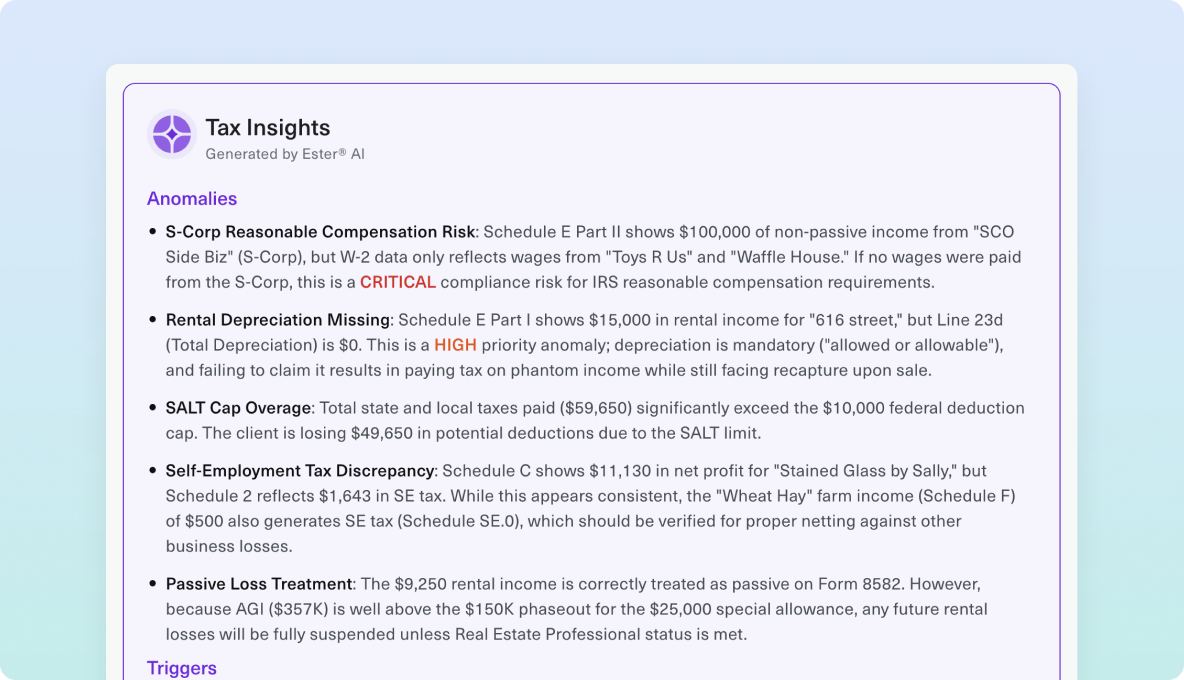
Returns show outside income, held-away accounts, a spouse's business, real estate you've never seen. All of it useful, none of it obvious, and finding it means reading every schedule. Most of it stays buried.
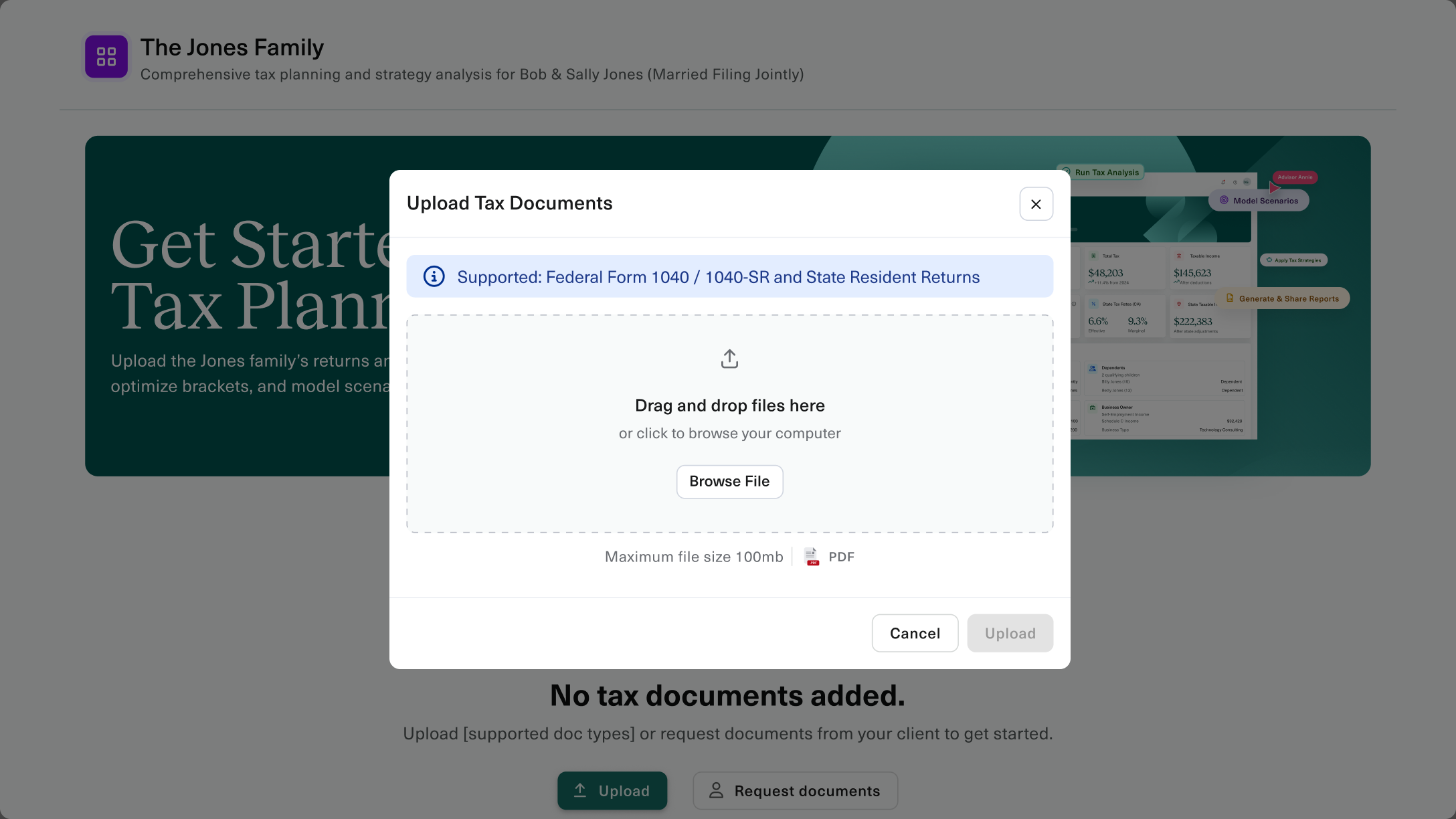
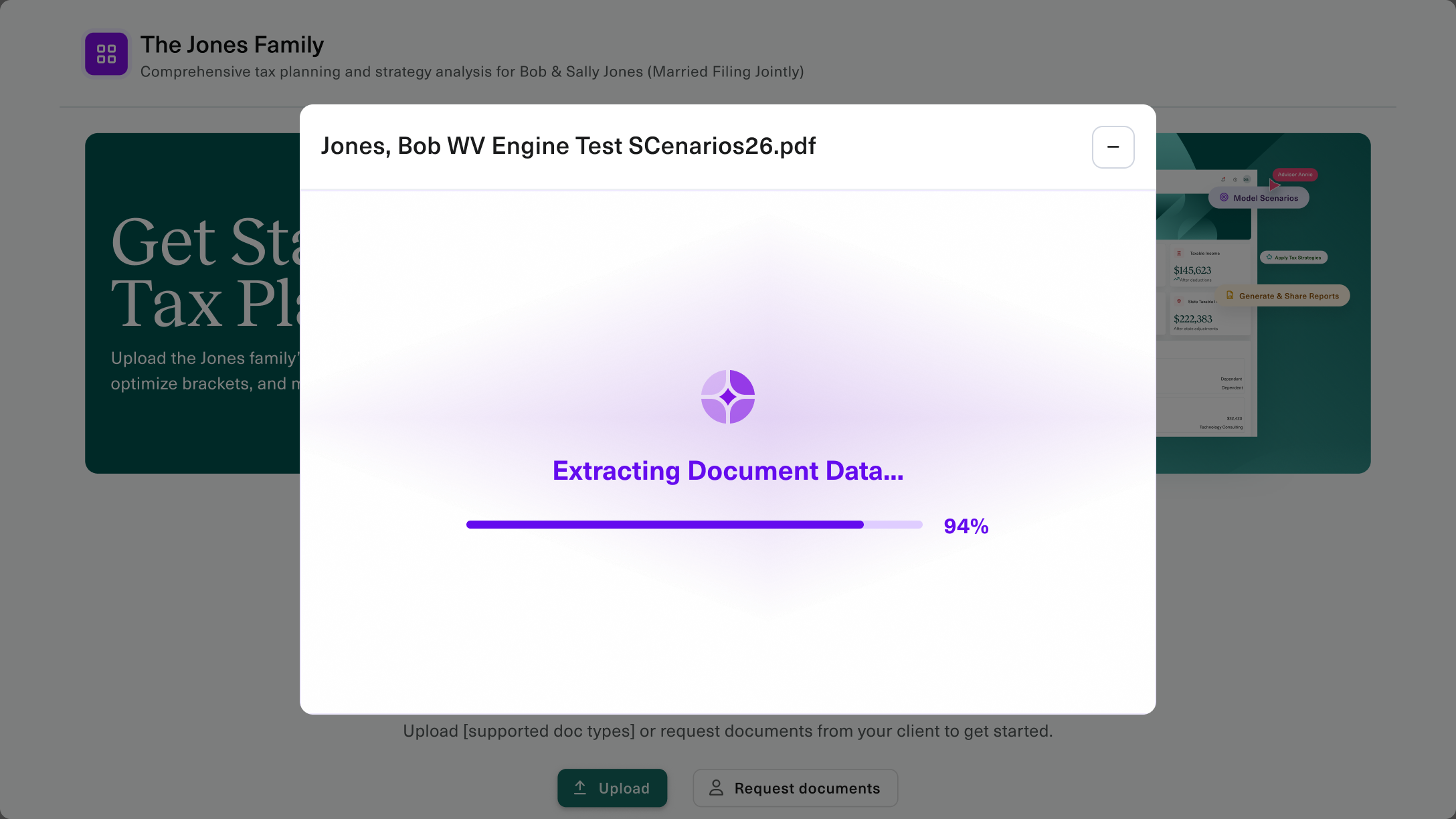
Easy for clients. Powerful for advisors.

The return is
just the beginning

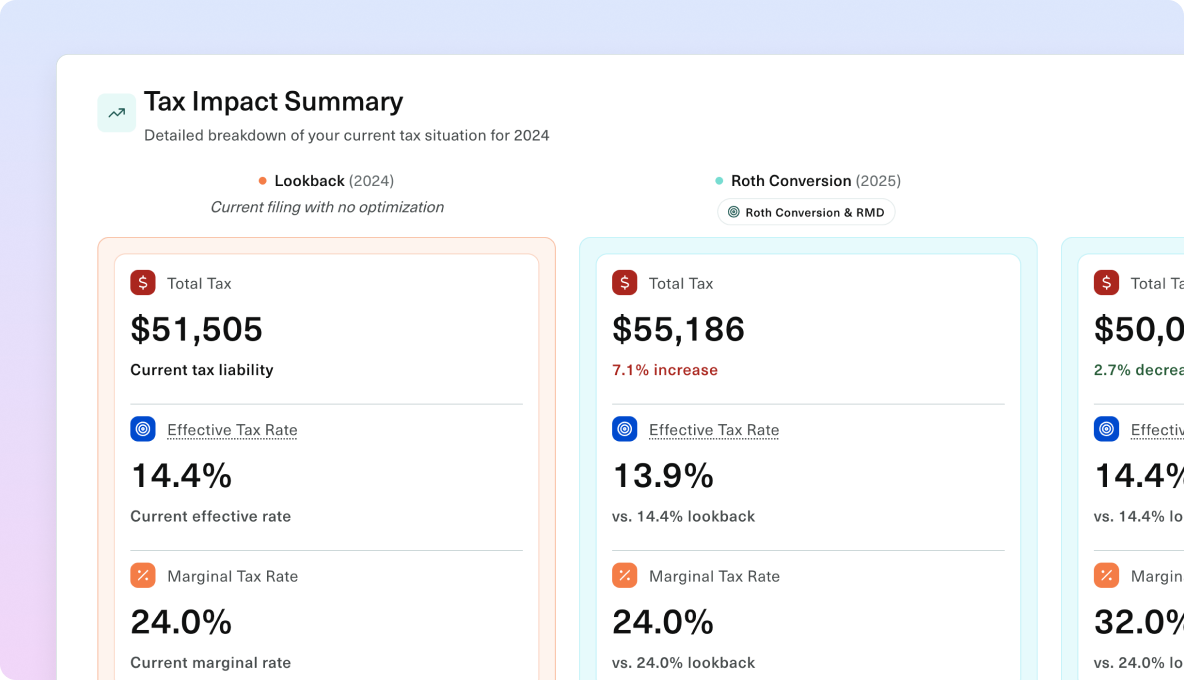
Once a return is uploaded, Ester analyzes and helps to spot opportunities, model strategies, and build client-ready reports.

Put Intelligent Upload to work

Ideas and insights for bringing tax planning to more clients.

Inside the Engine: A Technical Deep Dive into Wealth.com Tax Planning – resource thumbnail

Inside the Engine: A Technical Deep Dive into Wealth.com Tax Planning

Tax Planning That Actually Works: Streamlined Workflows for Busy Advisors – resource thumbnail

Tax Planning That Actually Works: Streamlined Workflows for Busy Advisors

Wealth.com Launches Proprietary Tax Planning Platform, Fully Integrated within Industry Leading Estate Planning Ecosystem – resource thumbnail

Wealth.com Launches Proprietary Tax Planning Platform, Fully Integrated within Industry Leading Estate Planning Ecosystem

Bring Intelligent Upload to your clients

FAQ

Intelligent Upload FAQs

Turn tax documents into a faster start for planning.

What is Intelligent Upload in Wealth.com?

Intelligent Upload turns client tax documents into organized planning data with less manual entry. Ester® extracts information from supported files, helping advisors move quickly from collecting a return to understanding the client's situation and identifying the next conversation.

Which tax documents can Wealth.com process?

Wealth.com supports PDF uploads of tax documents such as Form 1040 and W-2s. Advisors can use the information to begin reviewing the client's tax picture, establish a planning baseline, and prepare a more informed discussion.

Can clients upload tax documents directly?

Yes. Send clients an upload invitation through Wealth.com so they can provide their documents directly. Your team can collect the information where planning happens, reducing document chasing and making tax reviews easier to start.

How is Intelligent Upload better than entering a return manually?

Intelligent Upload reduces the time advisors spend transferring figures from a return into a planning tool. The information flows into Wealth.com's tax workflow, so your team can focus on the analysis and the client conversation instead of rebuilding the return by hand.

Can I see where an extracted tax figure came from?

Yes. Wealth.com connects supported extracted figures to their source in the return. Advisors can check the context, answer follow-up questions, and explain the basis for the analysis without searching through the entire document.

Can I start tax planning before a client shares a return?

Yes. Wealth.com also supports advisor-provided inputs, so you can begin a planning conversation with the information available. It is a useful starting point for prospects and clients who want to explore a question before providing their full document package.