As the year draws to a close, we know that December is a critical time for advisors to finalize year-end reviews and set the stage for a successful new year. To help you cross the finish line with ease, we’ve introduced several powerful updates designed to streamline document management, enhance team collaboration, and expand your analytical capabilities. From a sophisticated new PDF separation tool powered by Ester® to interactive commenting in Report Builder, these enhancements are all about saving you time and helping you deliver more value to your clients.
PDF Separation by Ester®
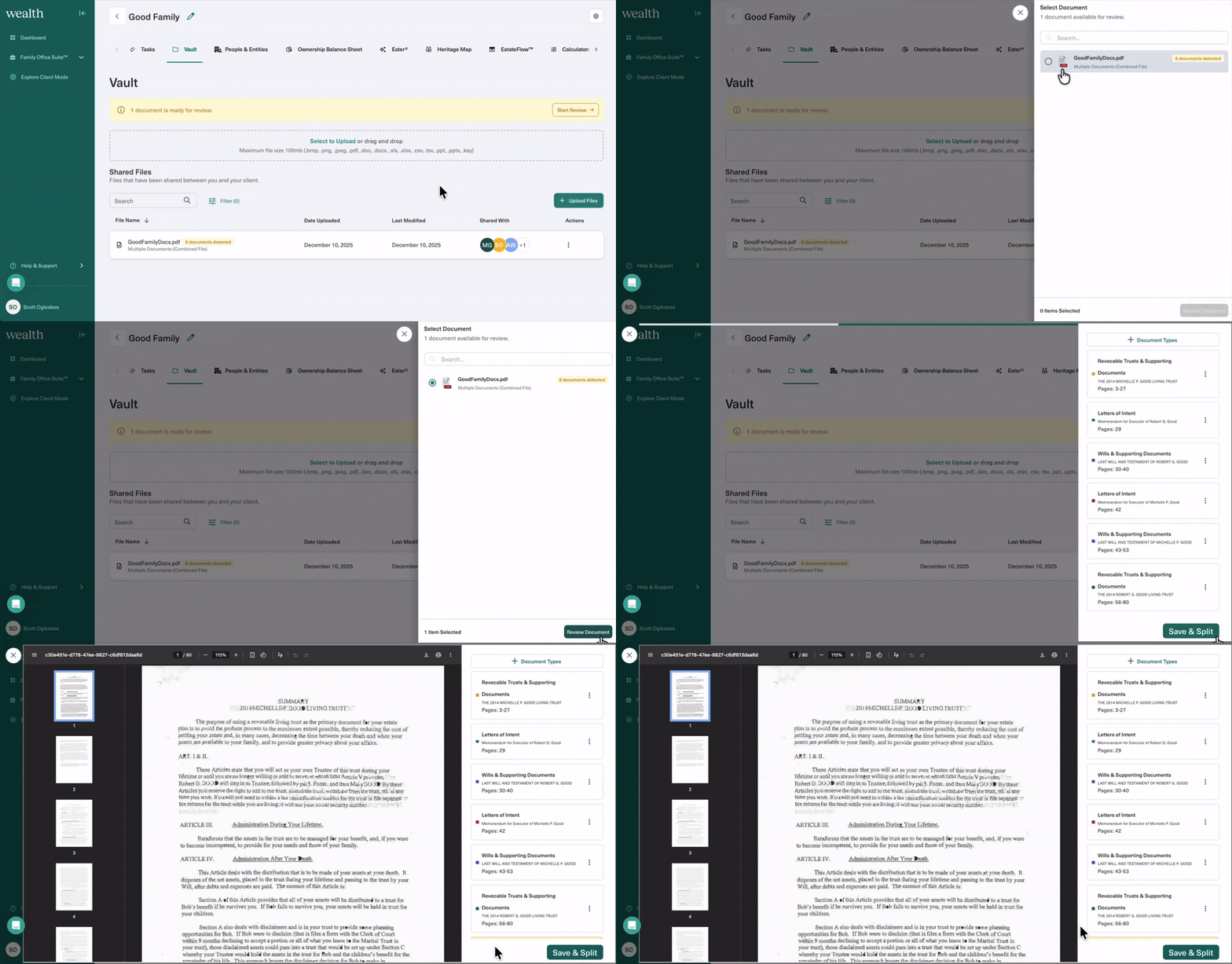
You asked, we delivered! You can now upload a PDF containing multiple documents into your Vault, and Ester® will automatically detect and separate documents within that PDF. Even better, you have the option to edit those documents before saving into your Vault. Adjust page ranges, customize titles, or change category types, all within a few clicks.
After you’ve reviewed your documents, you can select Save & Split, and each of those documents will be individually saved in your Vault for instant organization. Watch our video in Wealth Academy to start testing this out yourself!
Note: Wealth Academy is our Learning Management System for current customers. If this is your first time logging into Wealth Academy, please refer to the instructions on the Academy sign-in page.
Tag Team Members with Comments
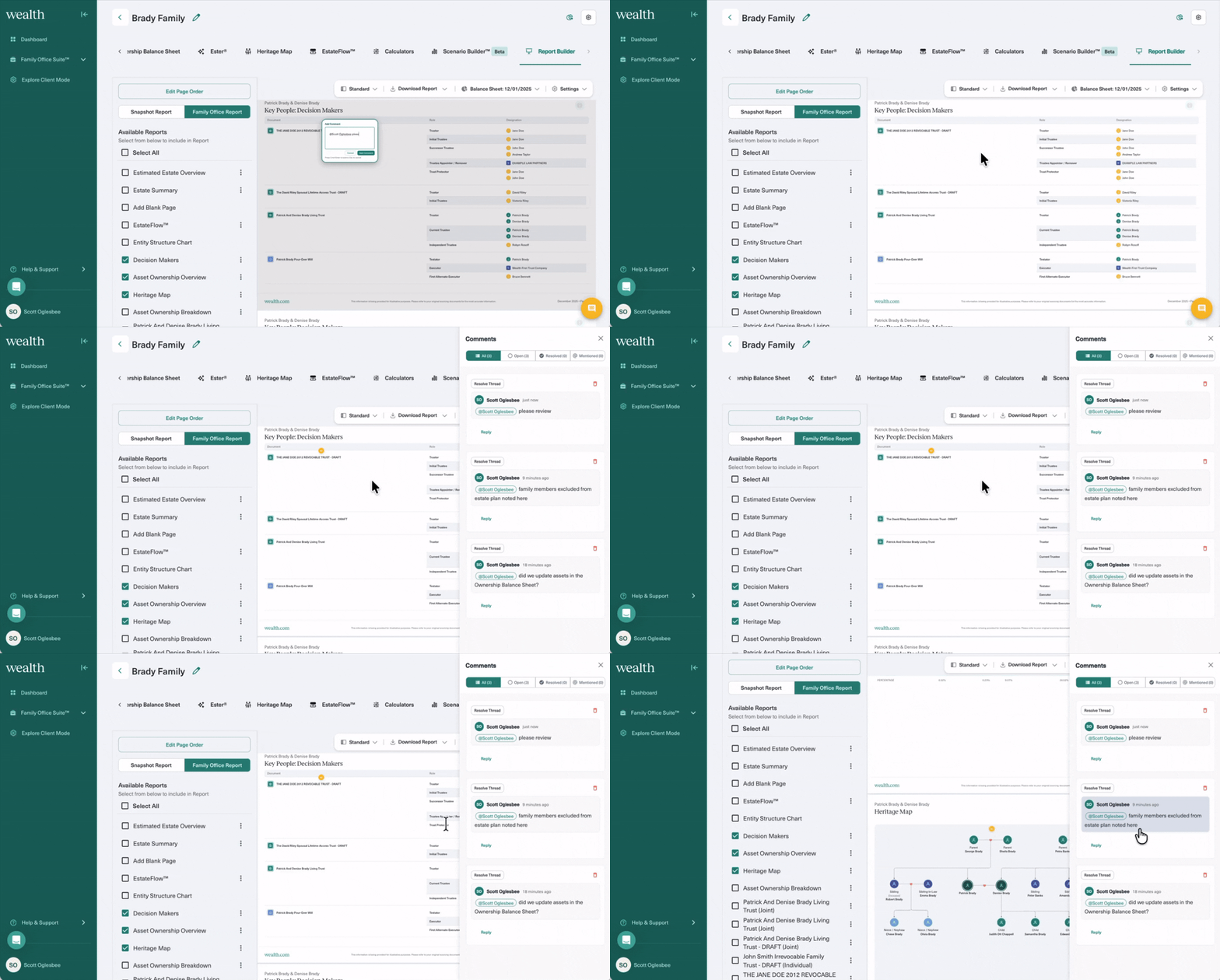
Add comments anywhere on a slide in Report Builder to tag colleagues to raise questions, kickstart reviews, and more. Separate from ‘Add Notes’ where you can customize commentary on slides to present to the client, comments enable you to easily collaborate with your teams on presentations. You’ll also find a new comment bubble in the bottom right that opens a feed of comment activity, so you get visibility on tabs such as:
- ‘All Comments’ – shows all comments
- ‘Open’ – all comments that have not yet been resolved
- ‘Resolved’ – once user clicks the checkmark to ‘resolve’ a comment, comment automatically gets sorted into Resolved tab
- ‘Mentioned’ – shows all comments where that advisor has been tagged
You can also access this comment bubble directly from your dashboard. Instantly view comments you’ve been tagged in and choose from quickstart actions like resolving a comment you may have already seen, or selecting Go to Client, which takes you directly to that comment.
Seamlessly Import Client Data With our Advyzon Integration
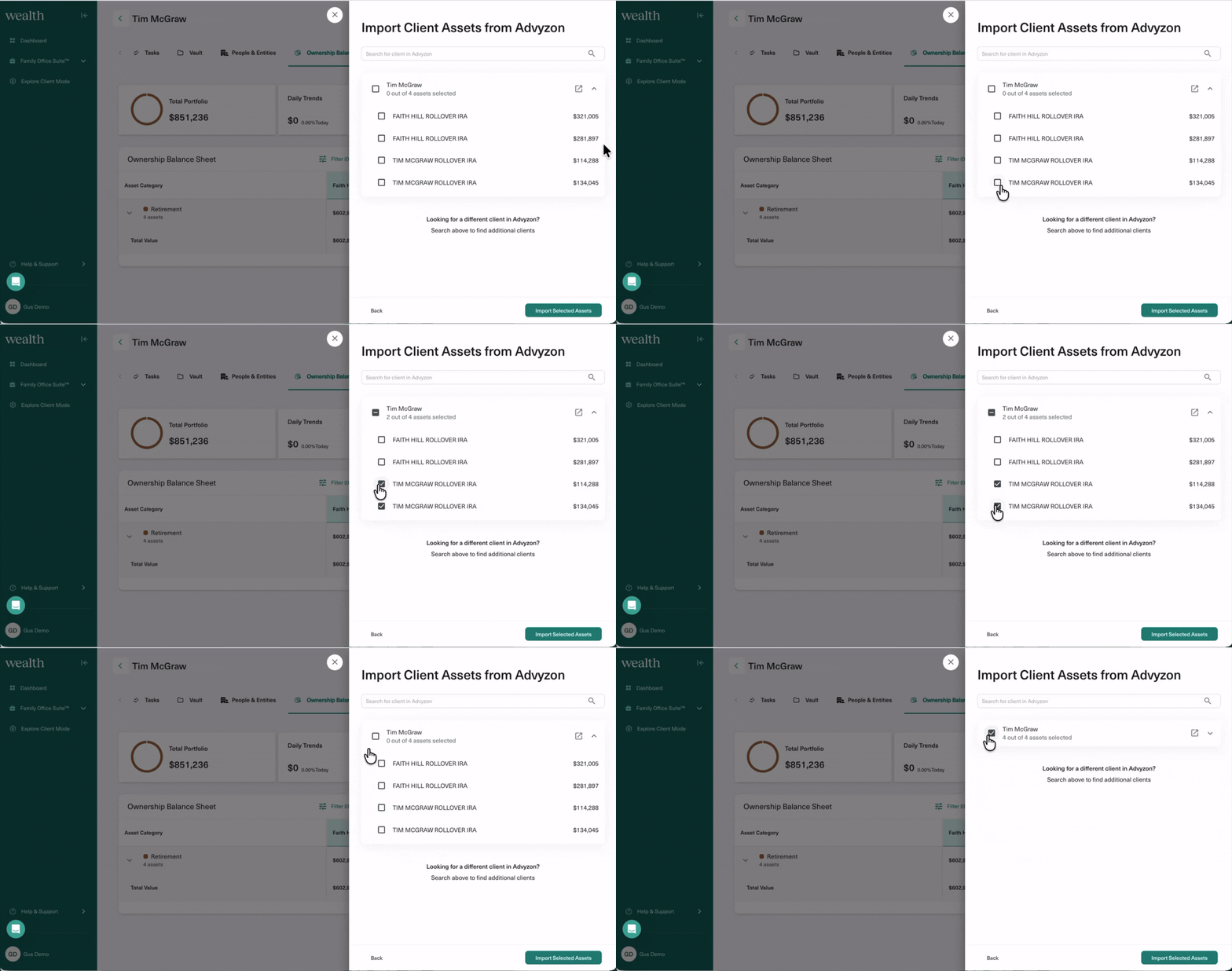
Wealth.com is thrilled to announce that our platform is the first estate planning solution to offer a direct integration with Advyzon, the all-in-one wealth management platform used by over 2,000 financial advisors nationwide. This integration helps advisors directly import their client and asset data seamlessly into Wealth.com in just a few clicks. Advisors can customize what clients or assets they wish to import, making this a flexible solution designed to expedite manual tasks like entering clients one by one. More information coming on this soon!
Advyzon is currently rolling out in beta, not currently available on all accounts.
Merge Contacts in People & Entities
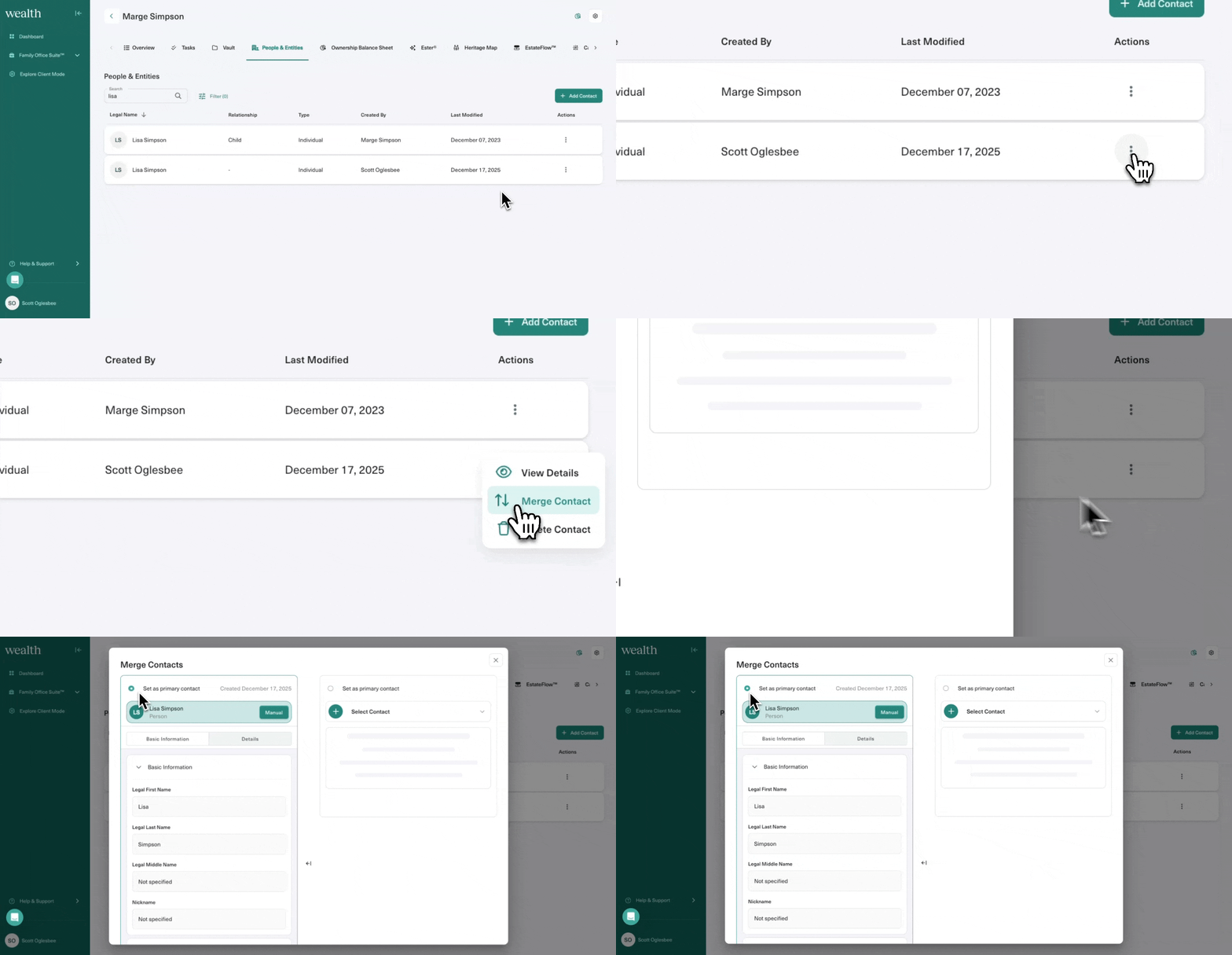
There are several ways you can create contact cards in Wealth.com: manually, spreadsheet upload, integrations, or Ester®. With all of these access points, sometimes duplicates get created as a result. To address this, we’ve added a simply way for you to “merge” contact cards by designating a primary contact that you can select.
Start by searching the names of your clients in the People & Entities tab, then select the three dots next to one of those contacts to click Merge Contact. From there, you can choose which contact you’d like to assign as the primary.
Loans Calculator
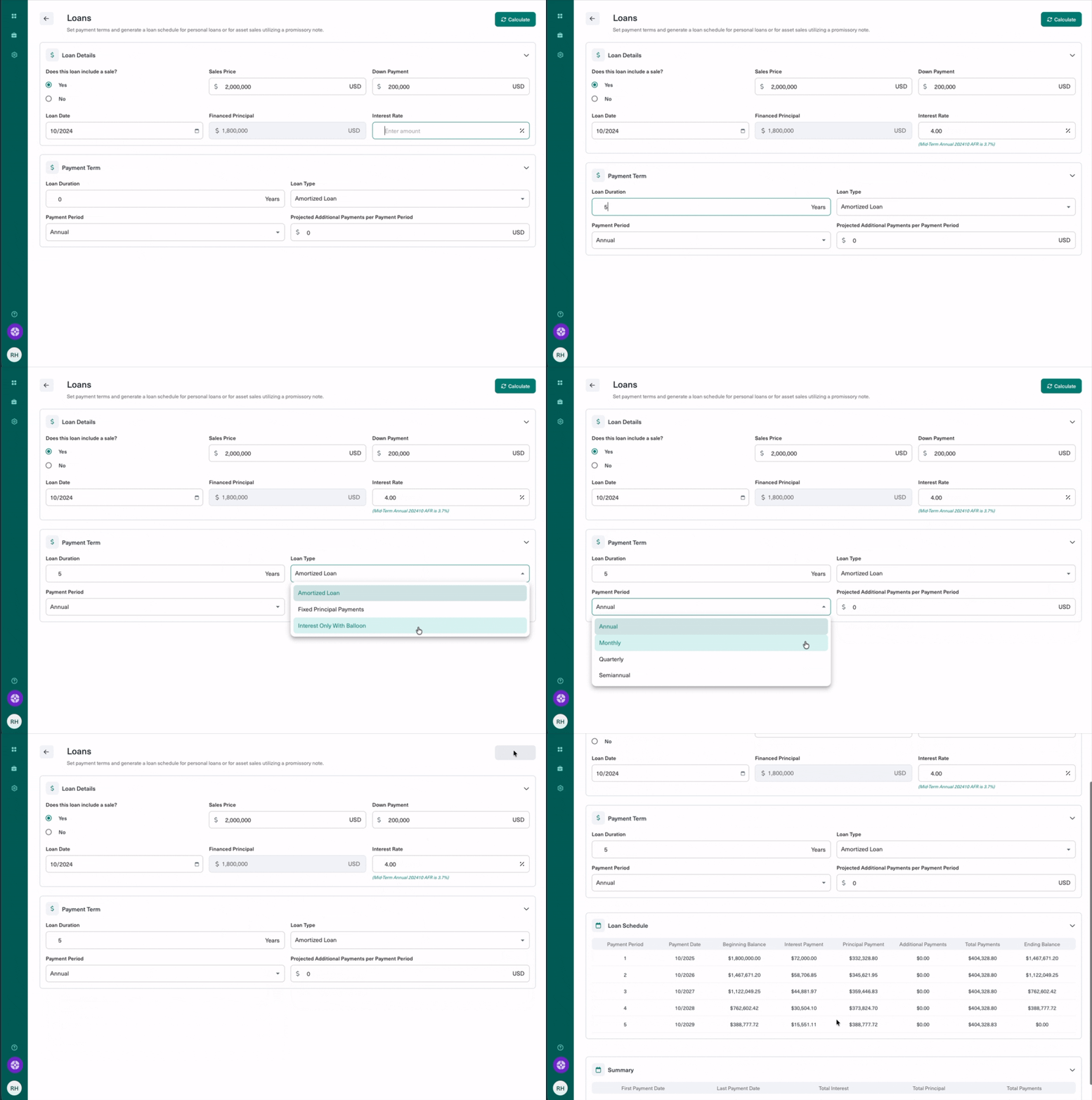
In the Calculators tab, you can test out our Loans calculator, which can be used to illustrate a basic loan or sale of property with a financed note component, calculating the total payments required including a breakdown of principal and interest. The calculator allows for amortized, fixed principal payments, or interest only with balloon structured loans, and the ability to accelerate the loan term by making additional principal payments.
Note: These updates may not be available on all accounts due to firm-specific compliance policies. If you do not have these updates but would like them added, please contact your Customer Success Manager.