
As the landscape of digital estate planning continues to evolve, our mission at Wealth.com remains the same: providing financial advisors with the most sophisticated, yet intuitive, tools to manage their clients’ legacies. This April, we are thrilled to announce a significant expansion of our platform’s capabilities. From the debut of our holistic Tax Planning suite to major workflow enhancements in the Advisor Vault, these updates are designed to turn complex data into actionable insights while removing the friction from document collection and execution.
The Next Frontier: Wealth.com Tax Planning
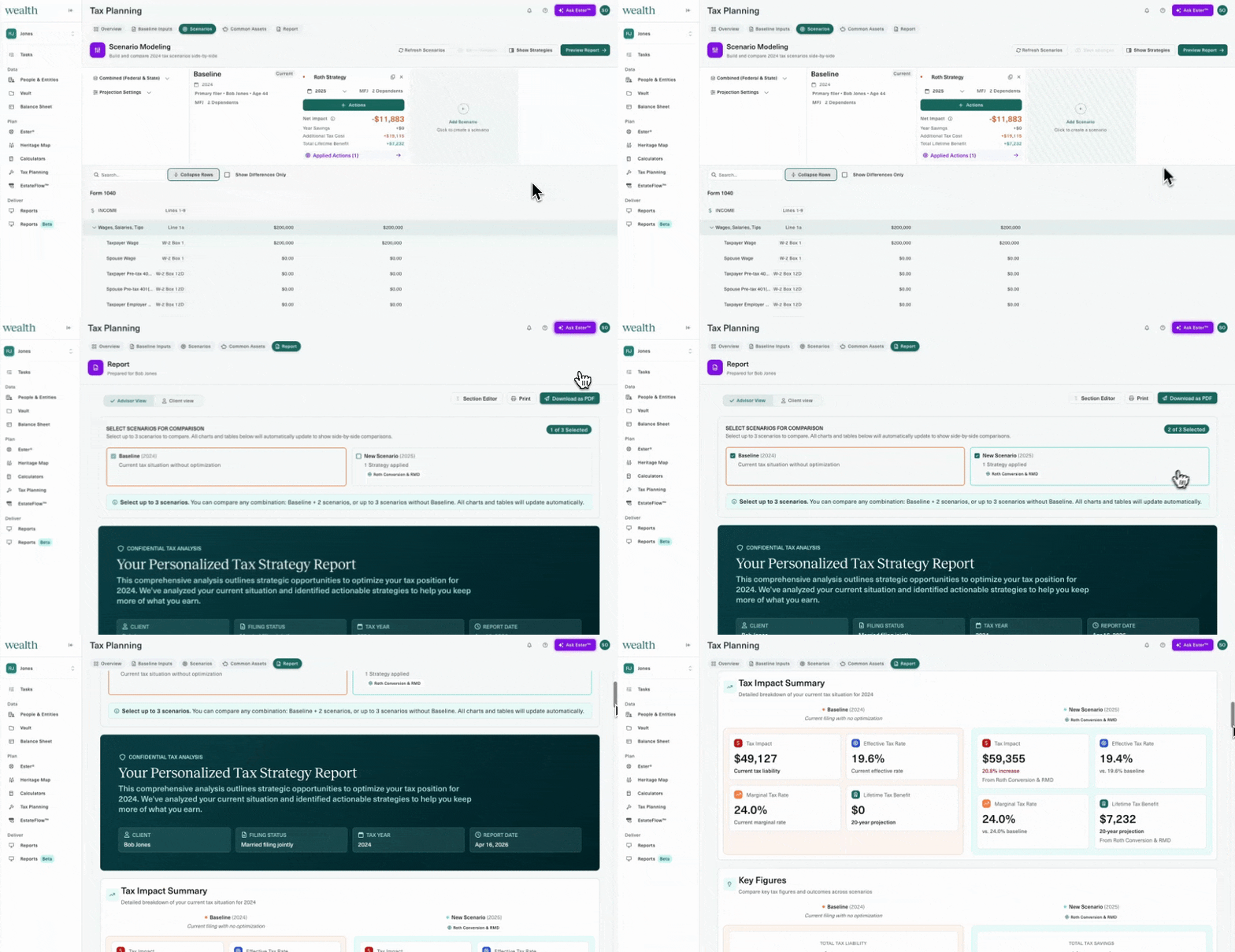
Announced at EstateCon, Wealth.com Tax Planning is a holistic tool that transforms dense tax data into clear, actionable strategies. Advisors can now perform historical tax reviews, generate forward-looking projections, and model advanced scenarios—such as Roth conversions and Equity Compensation—side-by-side. It’s more than just data; it’s a way to provide deeper value and proactive guidance to your clients.
Want an inside look? Book a demo of Wealth.com tax planning here.
Ester Intelligence: A New Era of AI

Ester® initially transformed how advisors interact with estate documents – extracting, structuring and summarizing complex legal information. Ester Intelligence extends far beyond that foundation, synthesizing estate documents, tax returns, balance sheets and planning logic into a unified intelligence system. Advisors can use the Ester Agent™ to ask complex questions across a client’s financial life and receive precise, fully contextualized insights in seconds – enabling them to move from information to action with the confidence that all estate and tax planning models use deterministic calculation engines. Read more in our press release here.
Integrated Mobile Notary: Closing the Loop
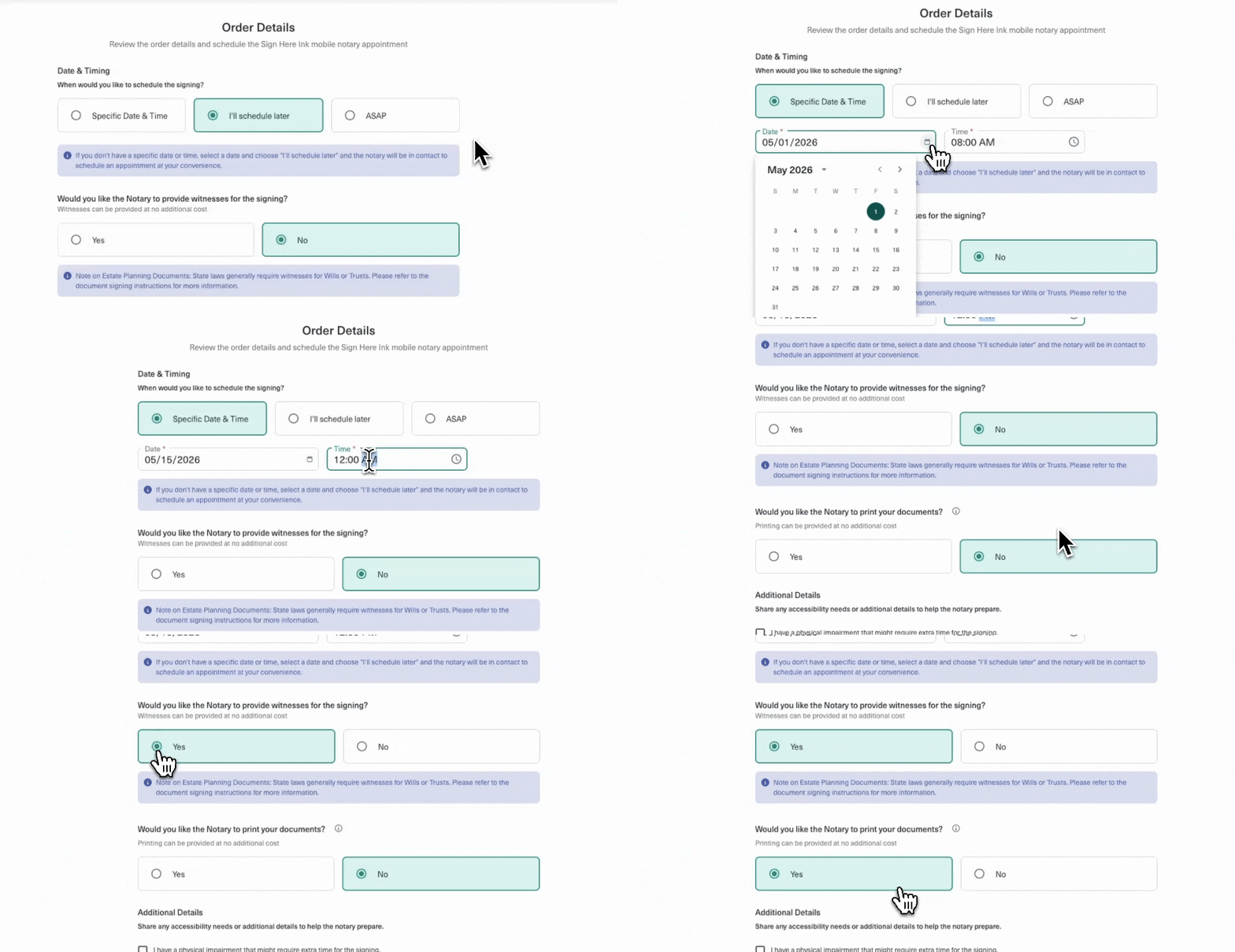
We’ve brought our preferred notary provider, Sign Here Ink, directly into Wealth.com to bring mobile notarization into the document creation workflow. For the first time, clients can take full control of the final execution step by booking and paying the $295 fee directly through Wealth.com.
- End-to-End Convenience: Schedule a notary to meet at a home or office at a specific time.
- Advisor Visibility: Opt-in to be CC’d on all notary communications to stay in the loop.
- Automatic Scanbacks: Once signed, notarized documents are automatically uploaded back into the client’s Vault for digital records that you can access.
Advisor Vault: Streamlined Client Document Requests
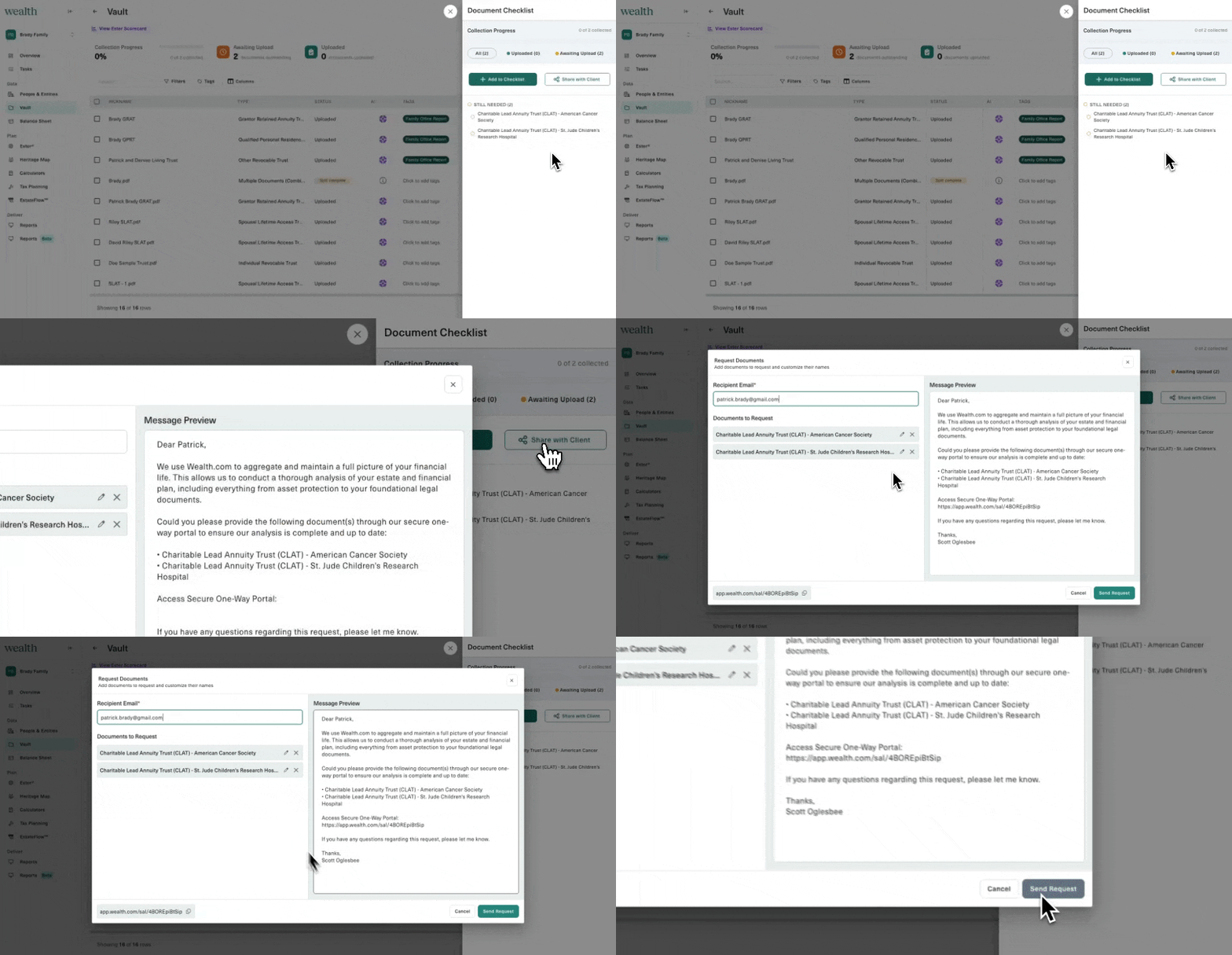
Say goodbye to the “email back-and-forth.” Our new “Share with Client” feature in the Vault allows you to request specific documents directly from your clients via a secure, one-way portal. To ensure the highest level of security, clients use a simple 6-digit verification code to access the upload link. This update speeds up the document collection process while ensuring sensitive information stays out of vulnerable email threads.
Advisor Vault: Custom Tagging
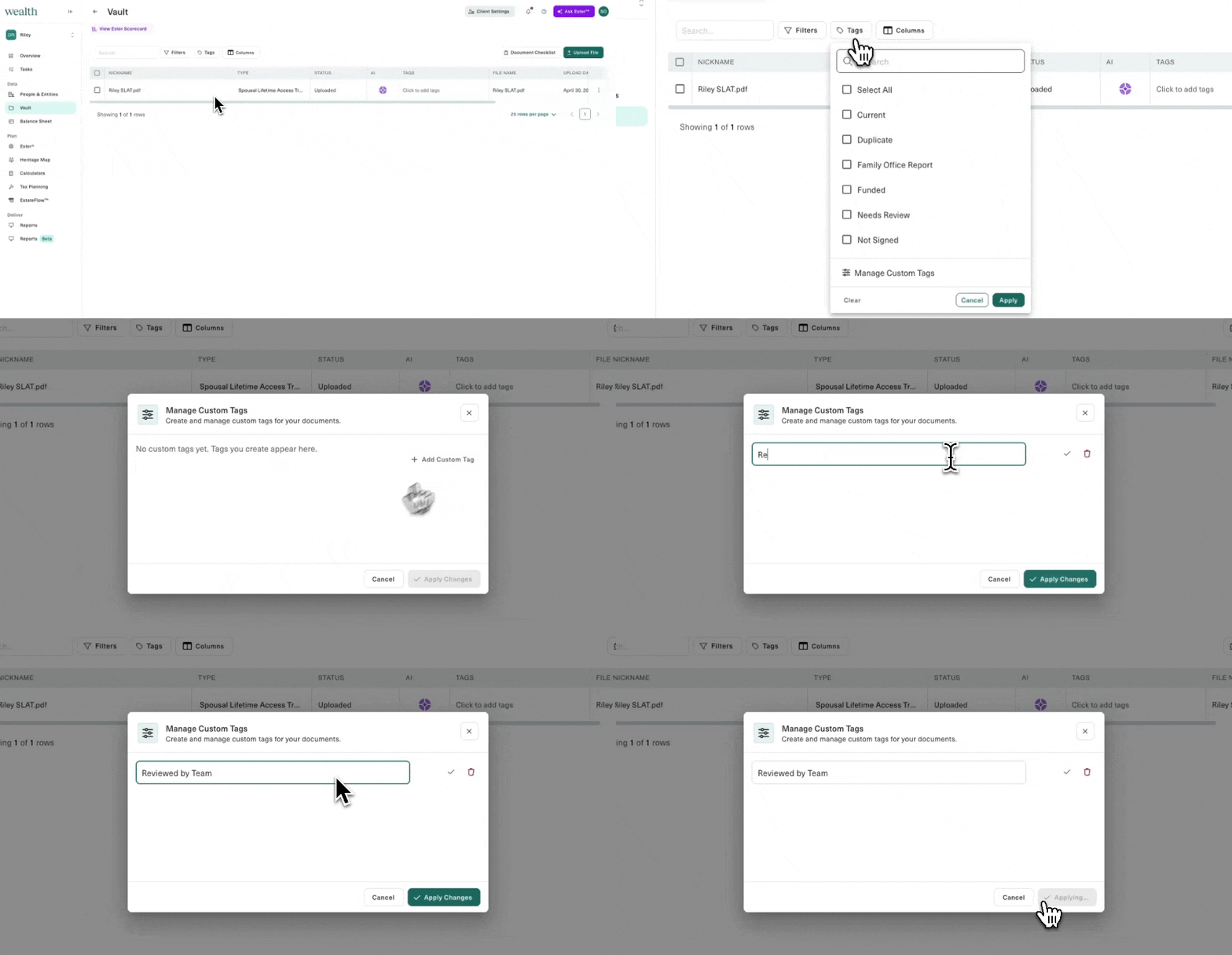
Organization is key to a scalable practice. With the new Custom Tagging feature, you can now create and apply bespoke labels to documents within the Vault. Whether you are flagging a document as “Needs Review,” “Funded,” or a custom internal category, these tags can be used consistently across your entire team and client base, making document management more flexible than ever.
These updates represent our commitment to building the most comprehensive Wealth “ecosystem” for advisors and their clients. By bridging the gap between tax, insurance, and notary execution, Wealth.com is empowering you to deliver a truly integrated financial planning experience. Log in to your dashboard today to explore these new features, or reach out to your Account Manager to learn more.
Note: Ester® and mobile notary enhancements require an account with those features enabled. Contact your Account Manager or [email protected] if you’d like to add these capabilities to your account.