We’re halfway through the year, and the Wealth.com team has been hard at work bringing you smarter, sleeker tools to make estate planning easier and more personalized. From improvements to document formatting and signer experience, to enhancements in report customization, scenario comparisons, and AI-driven insights, this month’s updates are packed with meaningful upgrades for advisors and their clients.
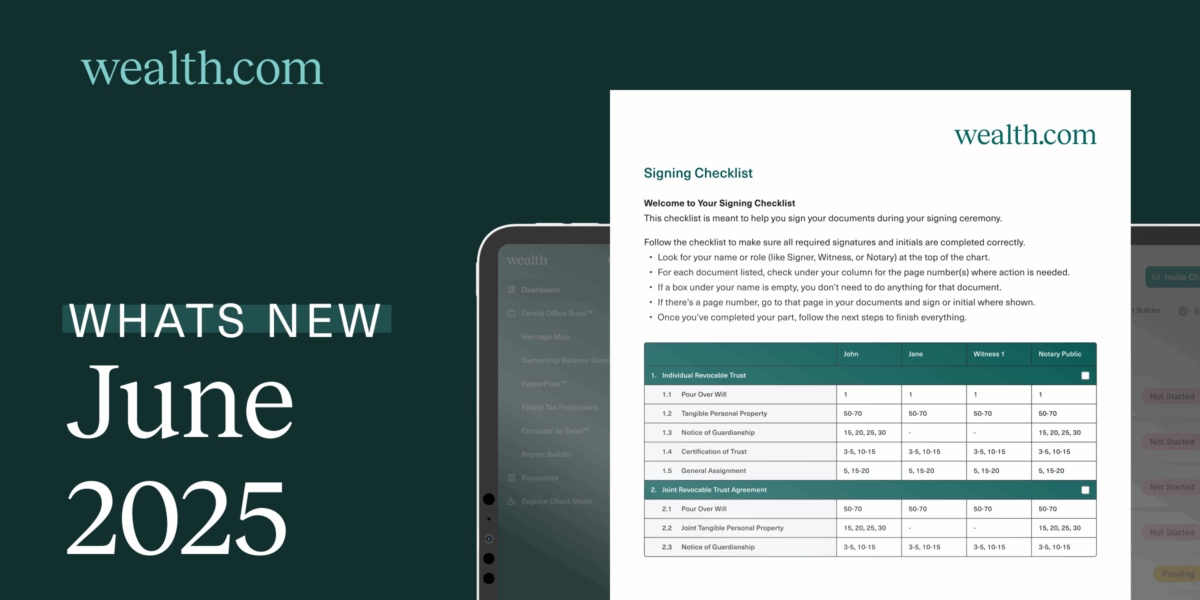
Signing Checklists Now Included in PDFs
Standardized Formatting for a Cleaner Experience
You asked, we listened. We reduced the number of documents that restart their page numbers, making it easier for you to follow one consistent sequence when locating where to sign. Users can now enjoy personalized guidance with signer-specific columns and direct references to the exact pages where signatures are required. This is applied across all six documents: IRT, JRT, AHCD, FPoA, and NoG, for both signers and co-signers. Please note this only applies to newly generated or edited PDFs, it will not apply retroactively to existing documents.
Insert Custom Pages in Report Builder
Personalization Where You Need It
In Report Builder, you can insert a custom page and add editable text. This allows you to add a personal touch for adding sections like “Goals and Objectives” or “Key Takeaways” to customize reports for clients.
Import Clients Directly from Black Diamond
Adding Clients All in One Go
To minimize manual data entry, advisors can import clients directly from their Black Diamond account. This carries over all their assets to inform other parts of the platform as you’re drafting documents. Simply go to your dashboard to click Add Client, and select Import Clients. From there, select Black Diamond and you’ll see a list for clients to import. Select the ones that you’d like to import and let our platform do the rest!
Give Feedback on Q&A Responses
Improving the Quality of Ester AI
Next time you ask Ester™ a question about a document you’re reviewing, you can provide feedback on the quality of the answer given to you. Choose the thumbs up icon to indicate if you received a good response, or the thumbs down icon if you received a poor response. By providing this feedback, our teams are able to proactively fix any issues and make adjustments so that Ester™ continues to provide insightful feedback.
View Ester® Citations in Executive Summary
Less Guesswork, More Clarity
Advisors can see multiple citations in one pagers to understand what information Ester® is using to generate the Executive Summary. Simply scroll the end of the one pager to see a full bibliography of citations in a clear view.
Each of these updates reflects our commitment to creating a more intuitive and insightful experience for you and your clients. Whether it’s simplifying document signing, personalizing reports, or improving AI-powered insights, we’re continually building with your feedback in mind. As always, thank you for being part of the Wealth.com community—we’re excited to keep innovating with you.