December Wealth.com Updates: Ester® PDF Separation, Commenting in Report Builder, Merge Duplicate Contacts

As the year draws to a close, we know that December is a critical time for advisors to finalize year-end reviews and set the stage for a successful new year. To help you cross the finish line with ease, we’ve introduced several powerful updates designed to streamline document management, enhance team collaboration, and expand your analytical capabilities. From a sophisticated new PDF separation tool powered by Ester® to interactive commenting in Report Builder, these enhancements are all about saving you time and helping you deliver more value to your clients.

PDF Separation by Ester®


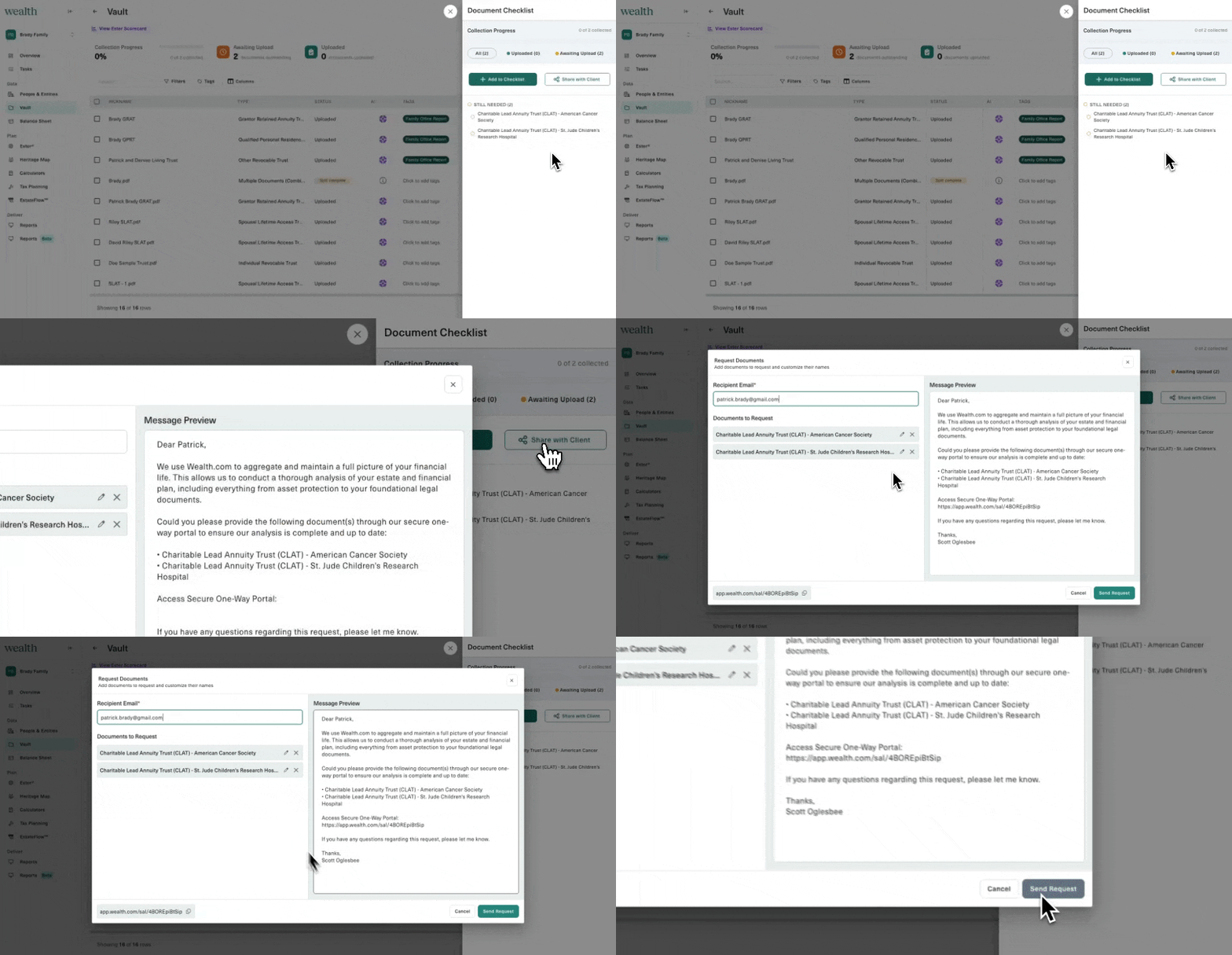
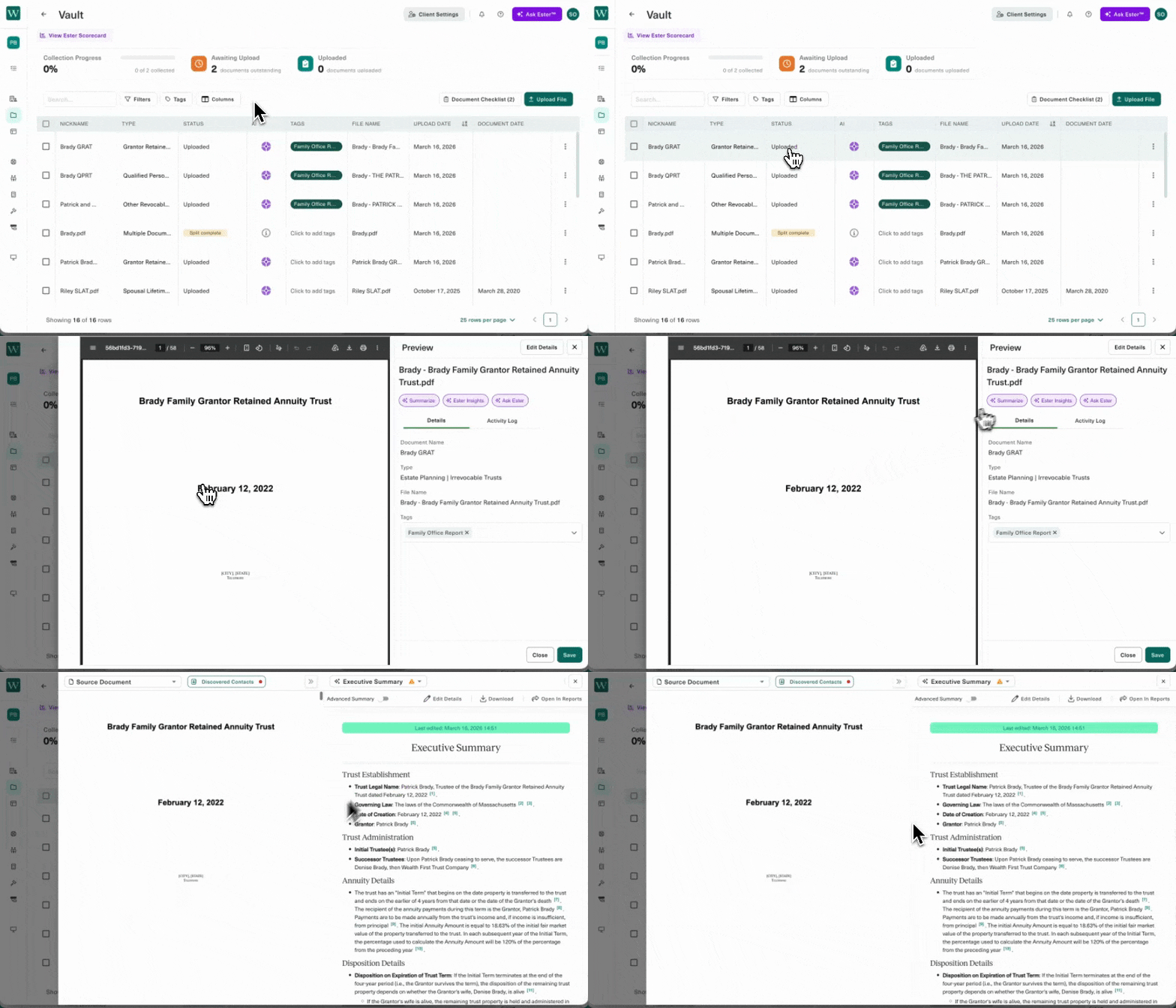
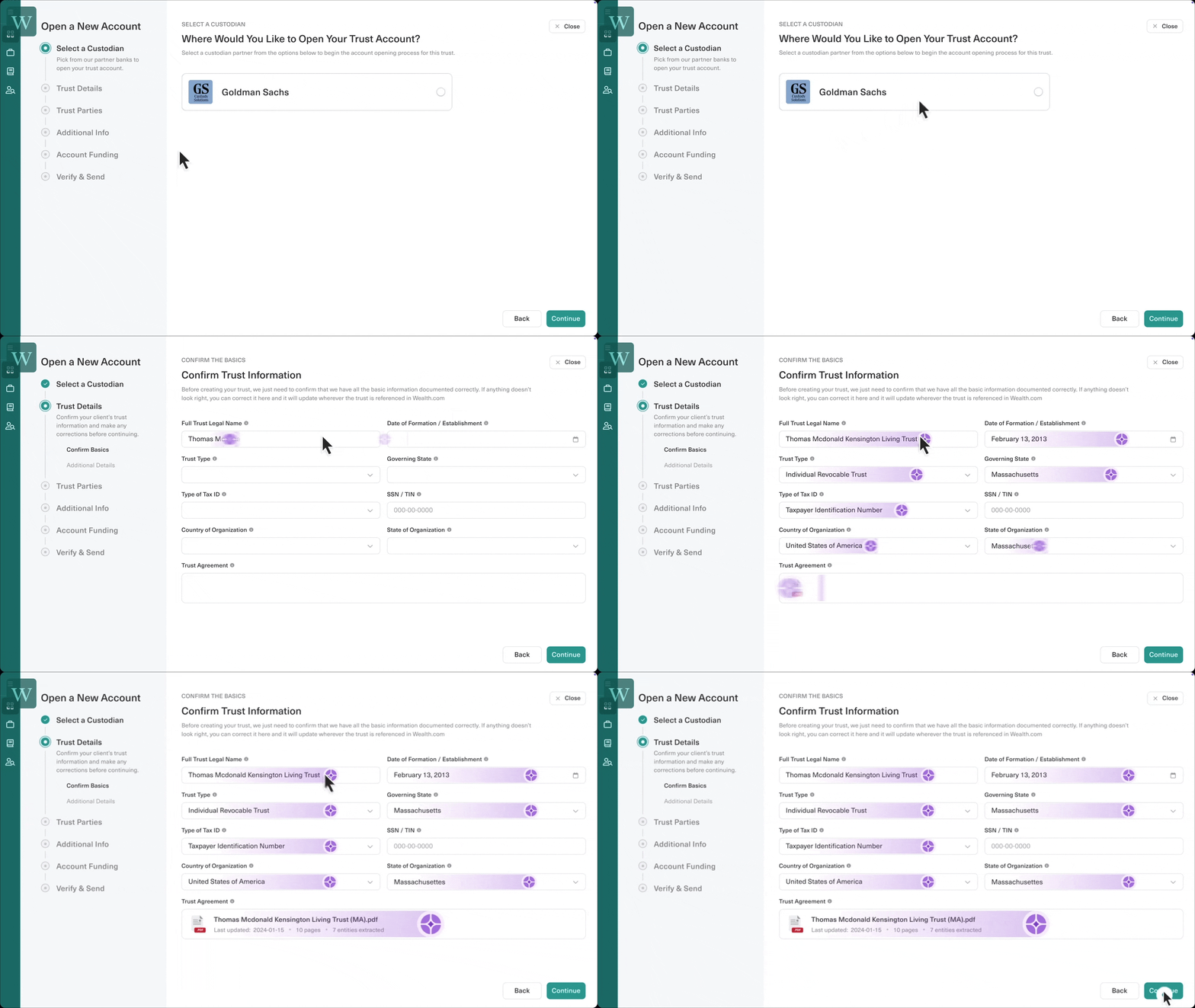
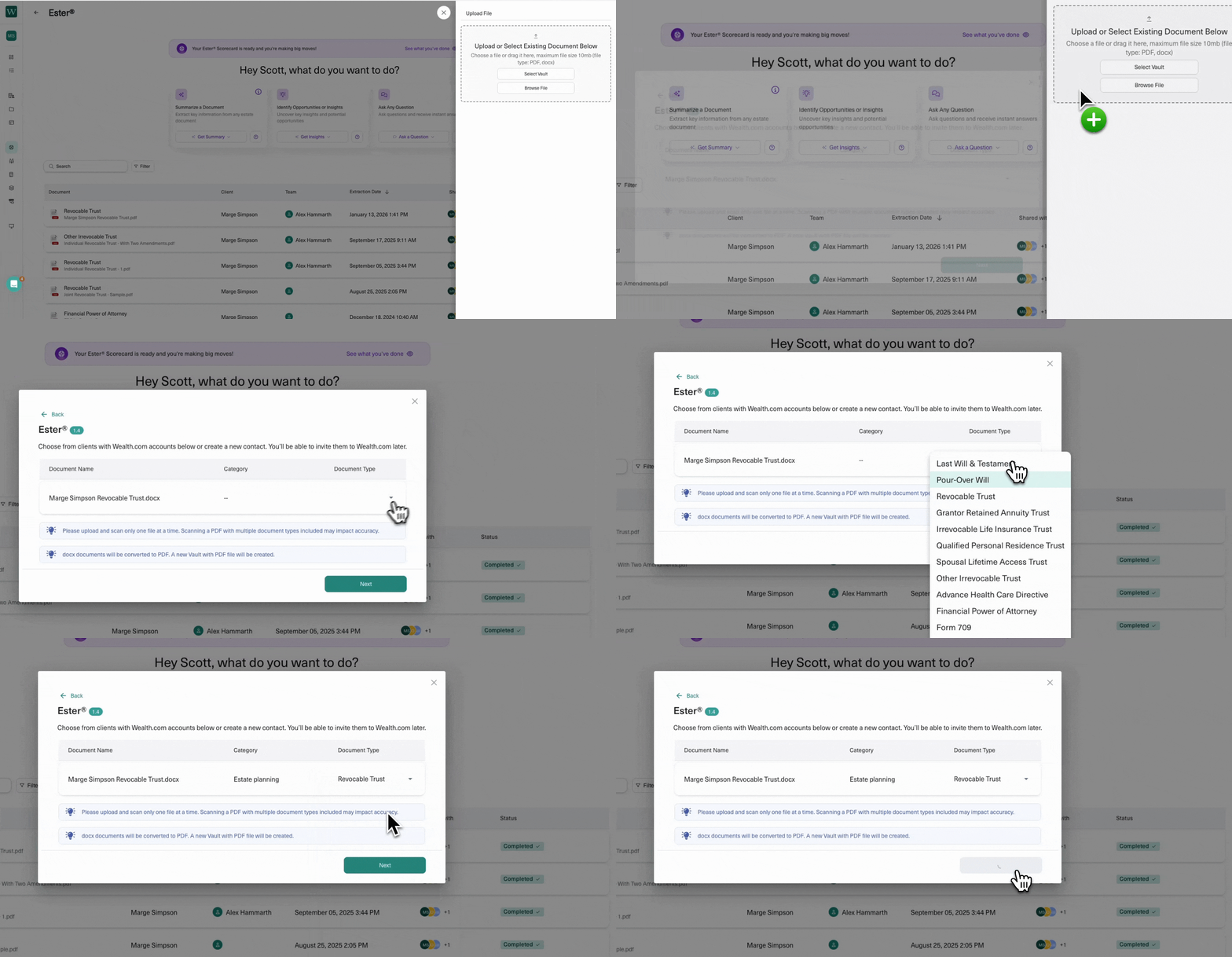
You asked, we delivered! You can now upload a PDF containing multiple documents into your Vault, and Ester® will automatically detect and separate documents within that PDF. Even better, you have the option to edit those documents before saving into your Vault. Adjust page ranges, customize titles, or change category types, all within a few clicks.

After you’ve reviewed your documents, you can select Save & Split, and each of those documents will be individually saved in your Vault for instant organization. Watch our video in Wealth Academy to start testing this out yourself!

Note: Wealth Academy is our Learning Management System for current customers. If this is your first time logging into Wealth Academy, please refer to the instructions on the Academy sign-in page.

Tag Team Members with Comments

Add comments anywhere on a slide in Report Builder to tag colleagues to raise questions, kickstart reviews, and more. Separate from ‘Add Notes’ where you can customize commentary on slides to present to the client, comments enable you to easily collaborate with your teams on presentations. You’ll also find a new comment bubble in the bottom right that opens a feed of comment activity, so you get visibility on tabs such as:

  • ‘All Comments’ – shows all comments
  • ‘Open’ – all comments that have not yet been resolved
  • ‘Resolved’ – once user clicks the checkmark to ‘resolve’ a comment, comment automatically gets sorted into Resolved tab
  • ‘Mentioned’ – shows all comments where that advisor has been tagged

You can also access this comment bubble directly from your dashboard. Instantly view comments you’ve been tagged in and choose from quickstart actions like resolving a comment you may have already seen, or selecting Go to Client, which takes you directly to that comment.

Seamlessly Import Client Data With our Advyzon Integration

Wealth.com is thrilled to announce that our platform is the first estate planning solution to offer a direct integration with Advyzon, the all-in-one wealth management platform used by over 2,000 financial advisors nationwide. This integration helps advisors directly import their client and asset data seamlessly into Wealth.com in just a few clicks. Advisors can customize what clients or assets they wish to import, making this a flexible solution designed to expedite manual tasks like entering clients one by one. More information coming on this soon!

Advyzon is currently rolling out in beta, not currently available on all accounts.

Merge Contacts in People & Entities

There are several ways you can create contact cards in Wealth.com: manually, spreadsheet upload, integrations, or Ester®. With all of these access points, sometimes duplicates get created as a result. To address this, we’ve added a simply way for you to “merge” contact cards by designating a primary contact that you can select. 

Start by searching the names of your clients in the People & Entities tab, then select the three dots next to one of those contacts to click Merge Contact. From there, you can choose which contact you’d like to assign as the primary.

Loans Calculator

In the Calculators tab, you can test out our Loans calculator, which can be used to illustrate a basic loan or sale of property with a financed note component, calculating the total payments required including a breakdown of principal and interest. The calculator allows for amortized, fixed principal payments, or interest only with balloon structured loans, and the ability to accelerate the loan term by making additional principal payments.

Note: These updates may not be available on all accounts due to firm-specific compliance policies. If you do not have these updates but would like them added, please contact your Customer Success Manager.

Wealth.com Becomes First Estate Planning Platform to Integrate with Advyzon

PHOENIX – October 30, 2025 Wealth.com, the leading end-to-end estate planning platform for financial advisors, today announced a new direct integration with Advyzon, the all-in-one wealth management platform trusted by more than 2,400 financial advisors nationwide. This collaboration will simplify how advisors using Advyzon incorporate estate planning into their daily workflows. Through this integration, client and portfolio data flow directly from Advyzon into Wealth.com, enabling advisors to create and maintain accurate, up-to-date estate plans without duplicating work or managing disconnected systems.

Built to streamline advisor workflows, this integration gives financial advisors a faster, more connected way to deliver truly comprehensive planning experiences. It will allow joint customers of Advyzon and Wealth.com to eliminate manual data entry, reduce errors and ensure that estate plans reflect real-time client information. For clients, this means more complete, current plans and a seamless experience that connects their investments, goals and legacy in one ecosystem. For the broader wealth management industry, it marks another step toward true interoperability—where advisors can bring together financial planning, portfolio management and estate planning in one seamless workflow. 

“Advisors want tools that work together, not systems that compete for their time and attention,” said Danny Lohrfink, chief product officer at Wealth.com. “By connecting with Advyzon, we’re making best-in-class estate planning a natural extension of the work advisors already do every day. We’re committed to helping them work smarter and deliver even more value to their clients.”

Advisors who are users of Advyzon or Auria and Wealth.com platforms can utilize the tools and resources directly within their existing tech stack, for no additional cost. The integration is currently available in beta with a select group of firms, with broader availability expected later this quarter. By linking portfolio management, financial and estate planning workflows, this integration enables advisors to work more efficiently, engage clients more effectively and focus on strategic planning rather than time-consuming manual tasks.

“Our vision has always been to give advisors a single, connected experience — one platform that unites every part of their business,” said Kartik Srinivasan, president of Advyzon Institutional. “Integrating Wealth.com’s estate planning capabilities into Advyzon and Auria further advances that vision. It removes another layer of complexity for advisors and helps them deliver truly comprehensive financial guidance from one intuitive system, elevating the overall client experience.”

Advisors can see the integration in action during our live webinar on November 13 at 1:00 p.m. ET. Reserve your spot at https://www.wealth.com/resources/webinars/streamline-estate-planning-with-advyzon-and-wealth-com/.

###

About Wealth.com
Wealth.com is the industry’s leading estate planning platform, empowering more than 1,000 wealth management firms to modernize the delivery of estate planning guidance to their clients. As the only tech-led, end-to-end platform built specifically for financial institutions, Wealth.com enables firms to drive scale, efficiency, and measurable client impact. Trusted by some of the largest names in finance, Wealth.com combines proprietary AI, robust security, and deep technological and legal expertise to serve the full range of client needs, from foundational plans to the most sophisticated estate strategies. The company has been widely recognized for innovation and leadership, winning Top Estate Planning Technology and Top Estate Planning Implementation at the 2025 WealthManagement.com Industry Awards, being named the 2024 Best Technology Provider in the Trust category, and earning #1 in estate planning market share in the 2025 Kitces AdvisorTech Study.

About Advyzon
Advyzon is a unified wealth management platform built on modern, open architecture for financial advisors, wealth management firms, broker-dealers, banks, trusts and family offices. Founded by CEO Hailin Li, Ph.D., CFA®, Advyzon integrates portfolio management, performance reporting, trading, CRM, billing, and document storage within a single source platform, as well as investment solutions through Advyzon Investment Management (AIM). With 50% of its team dedicated to engineering and product development, Advyzon focuses on continuous innovation based on user feedback and industry needs. Advyzon serves various segments of the financial services industry through specialized solutions, including Advyzon Core for RIAs, Advyzon Enterprise for larger institutions, and Auria for family offices and ultra-high-net-worth clients. For more information, visit www.Advyzon.com and www.auriaplatform.com

MEDIA CONTACT:

StreetCred PR
[email protected]

Megan Szuchman
203-814-4791
[email protected]

Rob Farmer
415-377-3293
[email protected]

For Advyzon: Impact Communications, Inc.

Jonny Swift
913-649-5009
[email protected]

October Wealth.com Updates: Advyzon Integration, Snapshot Reports, and a Revamped Task Center

With Fall in full swing, we know this time of the year is pivotal for managing client deliverables ahead of the holiday season. With that, we’ve introduced some key enhancements designed to make data imports more efficient, reports even easier to build, and tasks more customizable to your needs.

Wealth.com is the First Estate Planning Solution to Offer an Advyzon Integration

Wealth.com is thrilled to announce that our platform is the first estate planning solution to offer a direct integration with Advyzon, the all-in-one wealth management platform used by over 2,000 financial advisors nationwide. Advyzon joins an existing list of over 20+ integrations offered by Wealth.com

This integration helps advisors directly import their client and asset data seamlessly into Wealth.com in just a few clicks.

Advisors can customize what clients or assets they wish to import, making this a flexible solution designed to expedite manual tasks like entering clients one by one. To see this integration in action, be sure to join our November webinar.

Snapshot Reports to Become Available for All Users

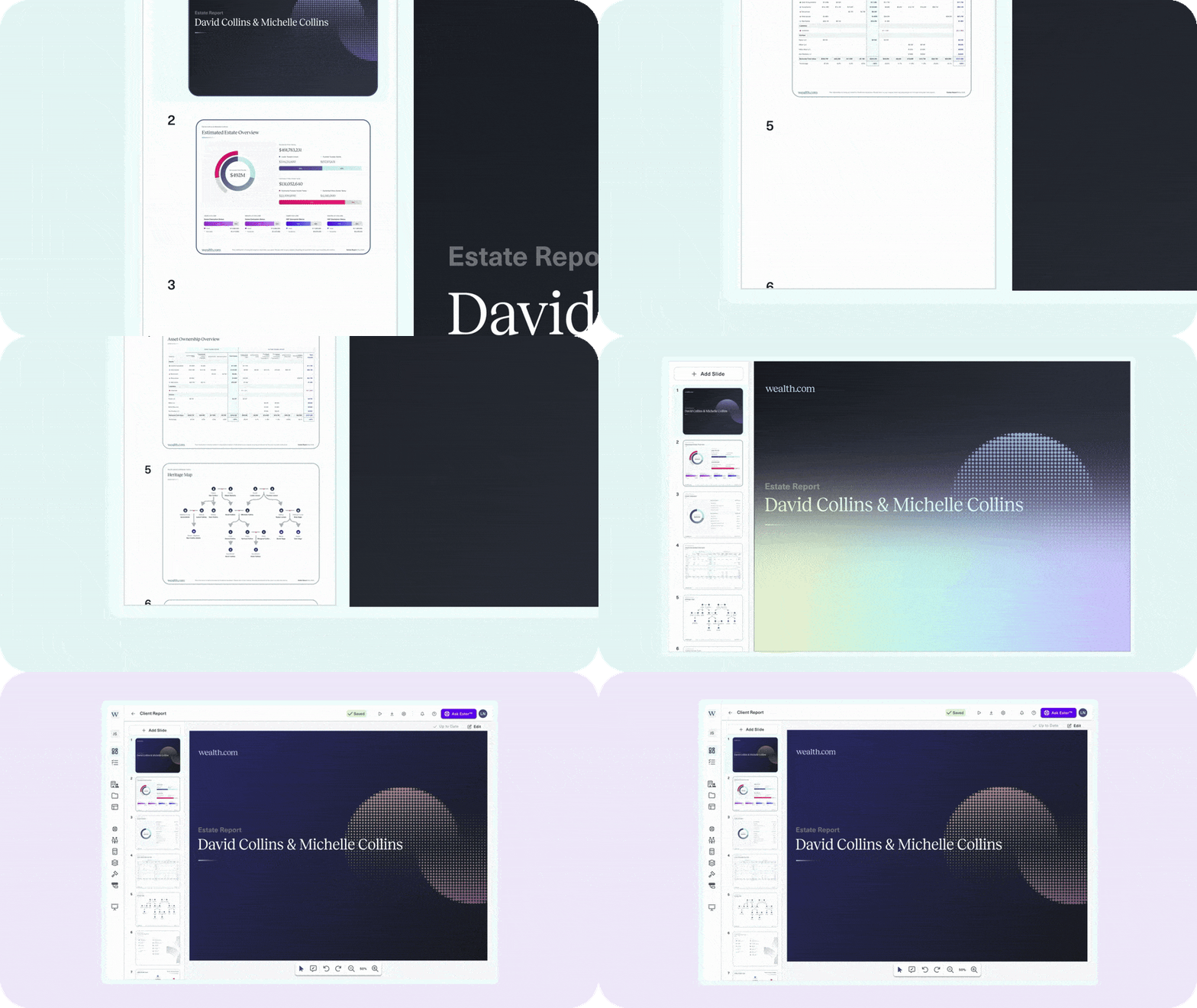
Starting in early November, we’re making Report Builder available to all users to offer the ability to intuitively build professional reports in minutes. All users by default will have access to Snapshot Reports, a thoughtful collection of slides that feature valuable content like asset overviews (from the Ownership Balance Sheet), Heritage Maps, and supplemental educational slides on a range of topics like Understanding a Revocable Trust.

The most valuable slide included in Snapshot Reports is the above disposition diagram, which automatically generates based on documents you feed Ester®. Start by selecting a document Ester® has reviewed. While the Executive Summary may have valuable information for the advisor, it’s not quite a client ready deliverable: that’s where the ‘View Report’ button comes in. When you select, you’ll be redirected to Report Builder where a new Snapshot Report page is available. This page features a flow chart that illustrates how the trust operates, highlighting what happens if the trustor deceases, or if the beneficiary pre-deceases the trustor. 

This is just one of the ways we’re working to get you the tools you need to impress your clients, regardless of what type of Wealth.com license you hold.

If you’re on our Family Office Suite license and want to know when to use Snapshot Reports vs. Family Office Reports, be sure to watch our video in Wealth Academy here.

Revamped Task Center with More Customization

Everyone has their own methods of organizing and completing tasks, which is why we’ve added even more customization to the Task Center. These enhancements offer three new ways to sort your tasks:

  1. Predefined Tasks: You can add predefined tasks, giving you a guided, step-by-step workflow to help you get started with suggested tasks. This feature is available to all Family Office Suite users. 
  2. Table Updates: Easily manage your tasks with new customization options. You can now show/hide columns, rearrange tasks, and filter by priority, assignee, or status. Plus, quickly see which tasks are assigned specifically to you.
  3. Report Tracker (available on Family Office Suite licenses only): The Report Tracker is a new tool designed to guide you through the entire report creation process. It breaks down complex tasks into three intuitive stages, shown as cards at the top of the page:
    1. Data Collection: This initial stage focuses on gathering all necessary documents and information
    2. Data Structuring: Once your data is collected, this stage is all about reviewing and confirming its accuracy. 
    3. Report Creation: This final stage is dedicated to generating and delivering your custom report.

At Wealth.com, we’re committed to giving advisors the tools to work smarter, not harder. These updates reflect our ongoing focus on efficiency, customization, and seamless integration across your tech stack. Log in to your Wealth.com account to explore these new features today, or watch our November Advyzon integration webinar to see them in action.

September Wealth.com Product Updates: Ester® Enhancements and Deed Transfer 

Kicking off back-to-school season, our product team has been hard at work developing new features designed to streamline your workflow and enhance your client’s experience. This month, we’re thrilled to introduce a host of powerful new updates, from expanded capabilities for Ester® to new scenarios in EstateFlow™ and a more seamless way for clients to request deed transfers.

Introducing Ester Insights: Guidance Beyond Summaries

Ester Executive Summaries have always provided factual, citation-rich summaries. Now, the new Ester Insights & Observations tab adds an extra layer of advisory-level intelligence.

  • Flags missing or incomplete documents 
  • Surfaces ambiguities that may require advisor follow-up 
  • Suggests logical next steps
  • Alerts you if something is out of date due to changes triggered by new laws 

This feature ensures you’re not just informed, but equipped with actionable guidance. Learn more about Ester® Insights and other recent updates in Wealth Academy

Ester Advanced Summaries: More Depth for Complex Trusts  

For advisors working with complex trusts, Advanced mode adds depth where it’s needed most. You can now toggle Ester into Advanced mode, which prompts even more detailed executive summaries with additional fields designed to capture nuances of complex trusts. Ester summarizes documents with amendments, so when you’re viewing in Advanced Mode, you’ll see a dedicated column for Amendment Details. 

At a glance, Ester Advanced provides: 

  • 50+ new summary fields that capture nuance in sophisticated estate plans
  • Amendment-specific visibility with a dedicated “Amendment Details” column
  • Smarter document handling that recognizes amendments automatically

See what else is included in Ester Advanced Summaries in Wealth Academy.

Ester Now Reviews LLCs, Operating Agreements, and Amendments!

You asked, and we delivered: Ester now reviews LLCs and Operating Agreements (OAs) as well as documents with Amendments. For documents with Amendments, Ester® Executive Summaries features a new column titled Amendment Details, which calls out key information related to amendments. This means a broader, more accurate view of your clients’ estate planning documents without additional manual review.

Deed Transfer Requests Made Simple for Clients

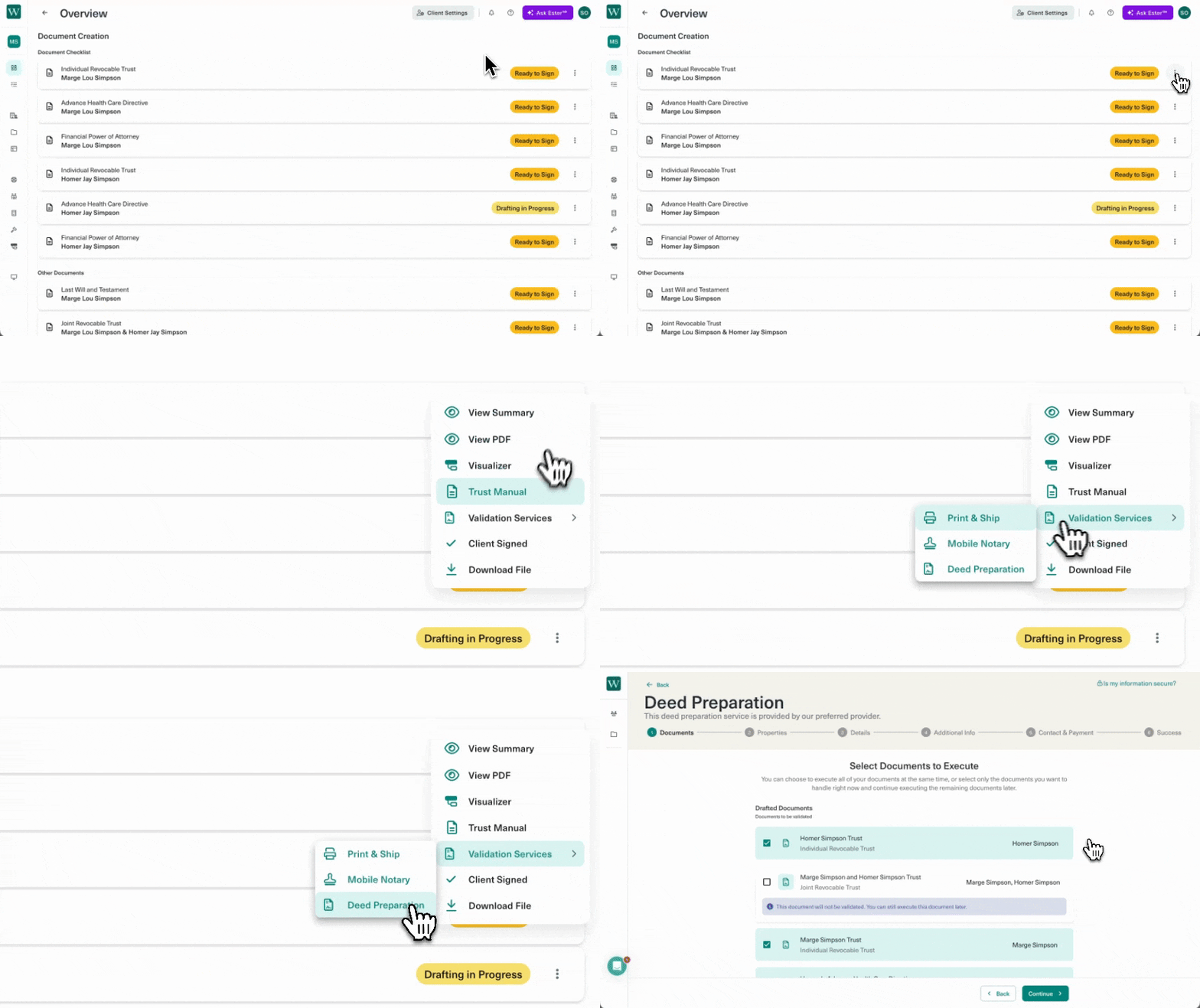
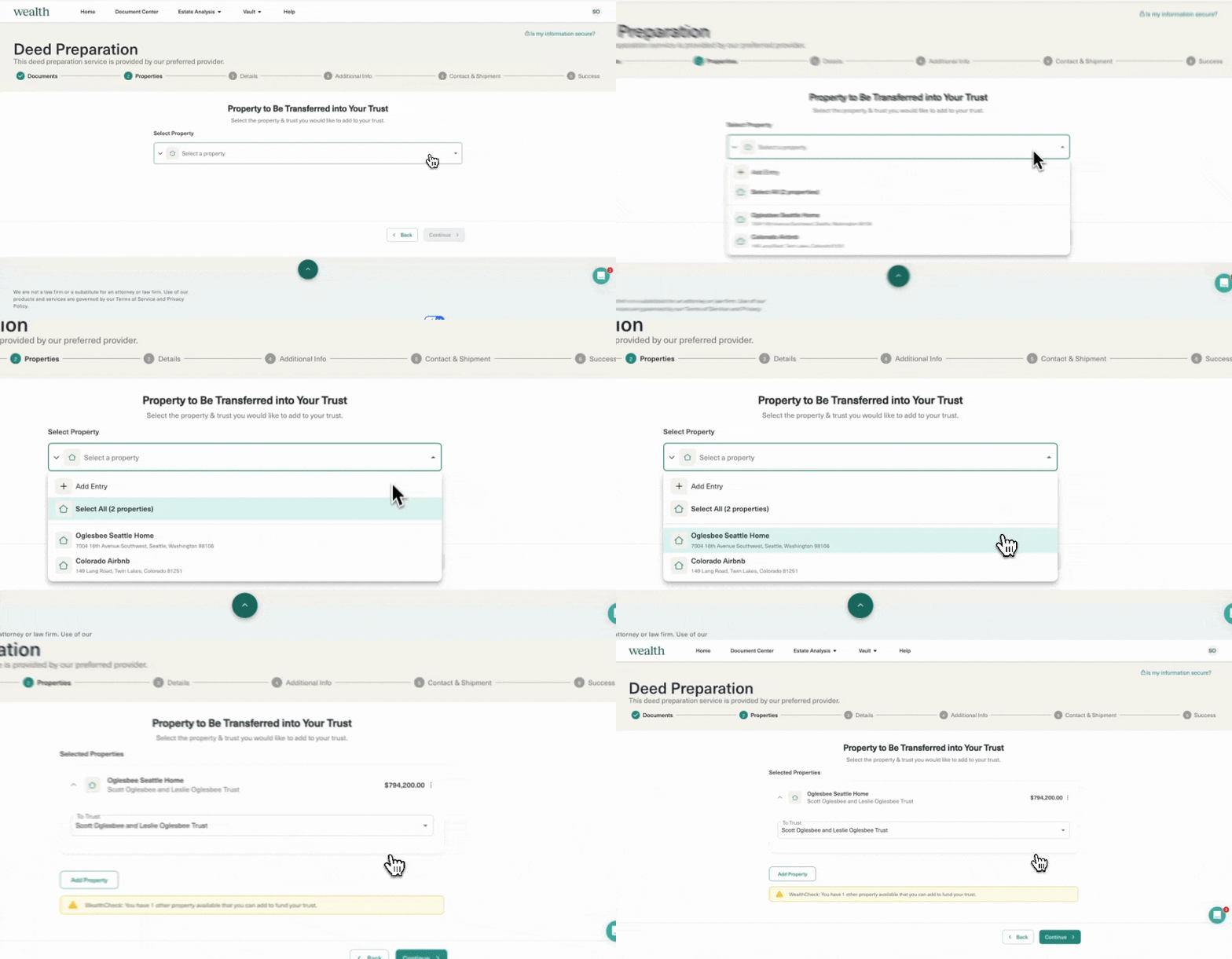
Wealth.com now offers a streamlined, end-to-end process for transferring real estate into a trust, available in all 50 states at a single, pre-negotiated flat rate.

Here’s how it works:

  1. Log into your Wealth.com account and navigate to your account profile.

  2. From there, select Attorney Services and choose Transfer Real Estate.

  3. Clients will be connected with our attorneys to complete their deed preparation, without ever having to exit the Wealth.com platform.

The service is offered at a flat rate of $175 per deed filing nationwide, with recording fees varying by state and county, and Wealth.com will confirm the exact recording cost once all required documents are received. This upgrade ensures clients can seamlessly transition from trust creation to deed preparation, keeping the process efficient and secure.

Why This Matters for You and Your Clients:

  • For Advisors: Faster reviews, smarter guidance, and more complete visibility into client documents.
  • For Clients: A simpler, guided experience that reduces friction and builds confidence.
  • For Firms: A stronger, more scalable process that demonstrates the value of modern estate planning.

That’s a wrap on September. As always, explore full release notes and tutorials in Wealth Academy to see these updates in action.

What’s New in Wealth.com: August 2025 Product Updates

August was an exciting month with the introduction of mobile notary services and Snapshot Reports, read on to see what features you and your teams should be trying next!

Introducing Mobile Notaries!

On-Demand Notarization, From Request to Signature

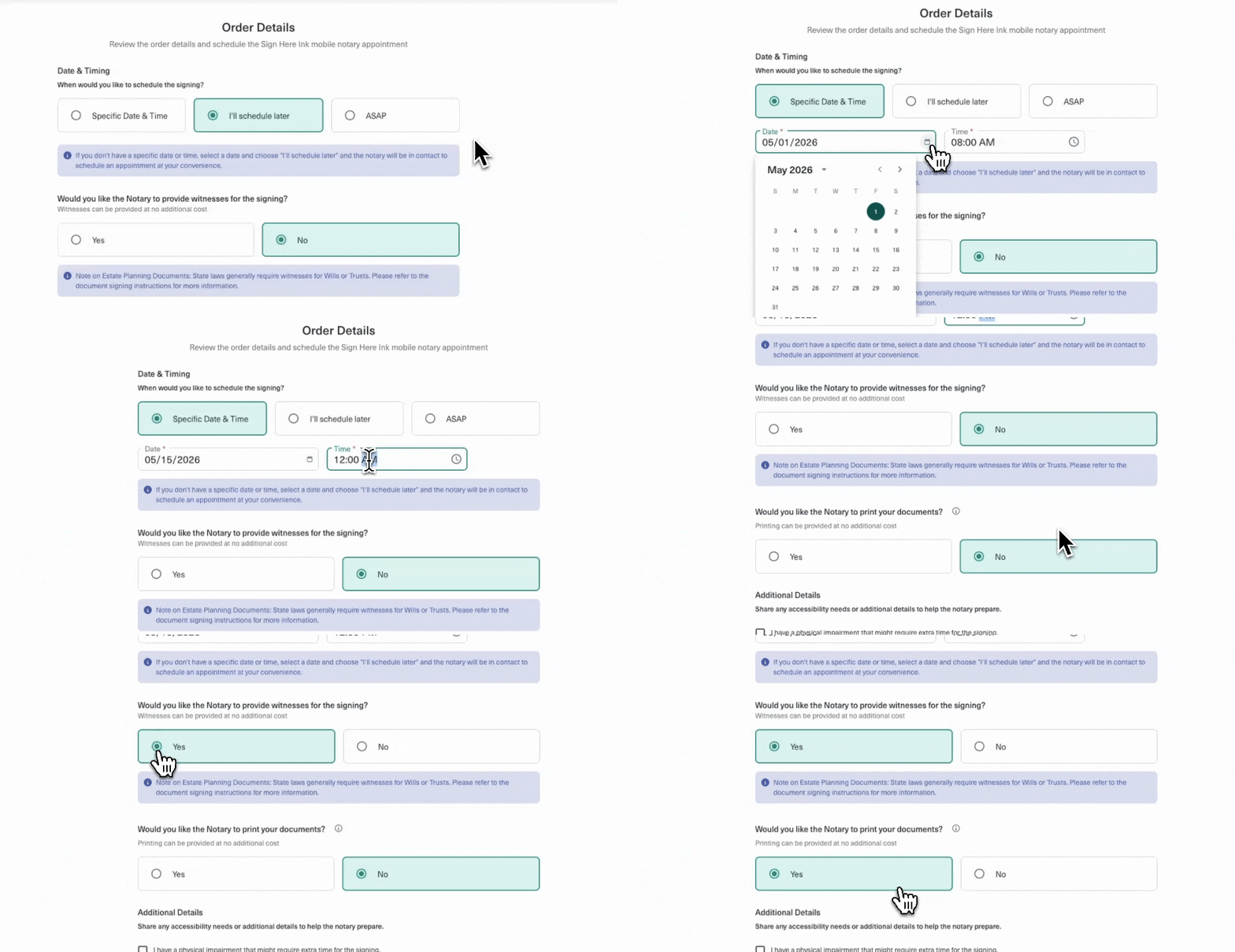
Wealth.com now offers mobile notaries with our preferred provider, Sign Here Ink, giving your clients a white-glove experience that is smooth, efficient, and error-free. This service validates your client’s estate plans by bringing mobile notaries directly to your client, without requiring the advisor to manage the process.

Once documents are ready to sign, clients can request a mobile notary in our updated “Next Steps” guide, notifying the advisor to place an order. Advisors can also initiate this on their own by selecting the “Request Notary” button next to their client’s documents. Even better, these trust-certified notaries specialize in estate planning documents, so advisors can feel confident knowing that their clients will be guided properly throughout the process. Instead of sending clients to the crowded postal annex, consider booking a mobile notary and get scanbacks same-day! Learn More

Updated Next Steps Guide for Documents

Bringing Funding the Trust to the Forefront

In addition to our new mobile notary service, clients can now view clear next steps for what to do once they have drafted an estate planning document. This updated Next Steps guide will prompt clients to:

  • Continue completing the rest of their documents (i.e. Advance Health Care Directive)
  • How to print and validate their documents
  • How to fund their trust (if applicable)

By bringing these steps to the forefront, our hope is that clients will know exactly what to do next.

Snapshot Reports Available in Report Builder

A Streamlined Alternative to Family Office Reports

While there may be times when advisors need our robust Family Office Reports, we also know there are times when advisors need something more pared down. Snapshot Reports summarize one document into a concise slide to illustrate how a trust or will operates. It’s incredibly intuitive, so you can tailor it to your needs. This visualization will be available soon for advisors using our Family Office Suite. Not on our Family Office Suite plan? We’ve got something in the works for you too…watch this space!

Start by selecting a document Ester® has reviewed. While the Executive Summary may have valuable information for the advisor, it’s not quite a client ready deliverable: that’s where the ‘View Report’ button comes in. When you select, you’ll be redirected to Report Builder where a new Snapshot Report page is available. This page features a flow chart that illustrates how the trust operates, highlighting what happens if the trustor deceases, or if the beneficiary pre-deceases the trustor.

The best part? Advisors don’t have to manually enter this information into contact cards. When selecting “Modify Details”, advisors can view summarized information that has automatically been populated into the platform for you. Less data entry, more robust insights when you need.

Presentation Views in Report Builder

Review Reports in Real-Time with Clients

We’ve introduced something new to our top navigation bar in Report Builder. For in-person meetings with clients or calls, you can show them a live view of the reports by switching from ‘Standard’ to ‘Maximized’ in the Report Builder. This gives you an instant presentation view that you can go through with your clients in real-time.

Standalone Educational Slides

Intuitive Educational Slides When You Need Them

We’ve also broken up the educational slides into their own individual slides. Let’s say you plan to show this snapshot on Leslie’s revocable trust. You can then select an educational slide on Understanding a Revocable Trust, or Differences Between a Will and Revocable Trust.

The beauty of this update is that it’s intuitive enough for the advisor to use, while giving you the proper resources to educate your clients. Any advisor can easily hop in here to customize their report to include things like the Heritage Map or the Decision Makers summary slides.

New Look for Ester® Exec Summaries

Cleaner Formatting to Match Your In-App Experience

Based on the popularity of Ester®’s Executive Summaries, we’ve updated the look and feel in line with the summaries you see in the Wealth.com platform. This might seem minor, but upgrading a specific detail like this continues to provide the content you need, at the high-quality level that you deserve. But that’s not all, we have some exciting Ester® updates coming soon…watch this space!

Download Heritage Map as a PDF

Shareable Family Trees When You Need Them

We’ve been pleased to see how many users appreciate Heritage Maps when including them in presentations within Report Builder. We know these are key visual diagrams advisors need when illustrating estate planning to clients. This is why we’re making them accessible to all users, starting this month. Easily download family tree charts and present them in client meetings, or send to your clients as a follow-up.

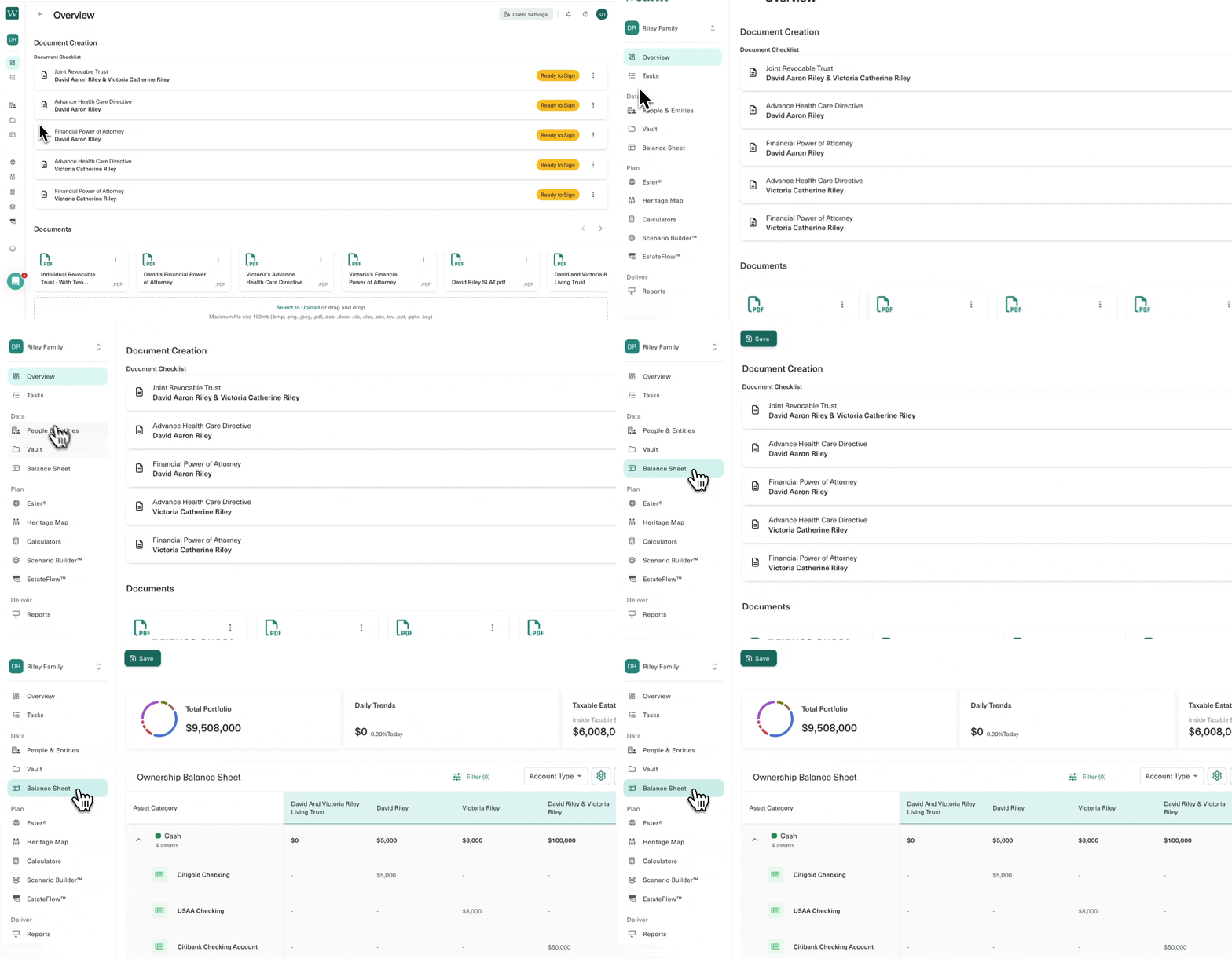
Rearrange Columns in the Balance Sheet

More Flexibility When Viewing Assets

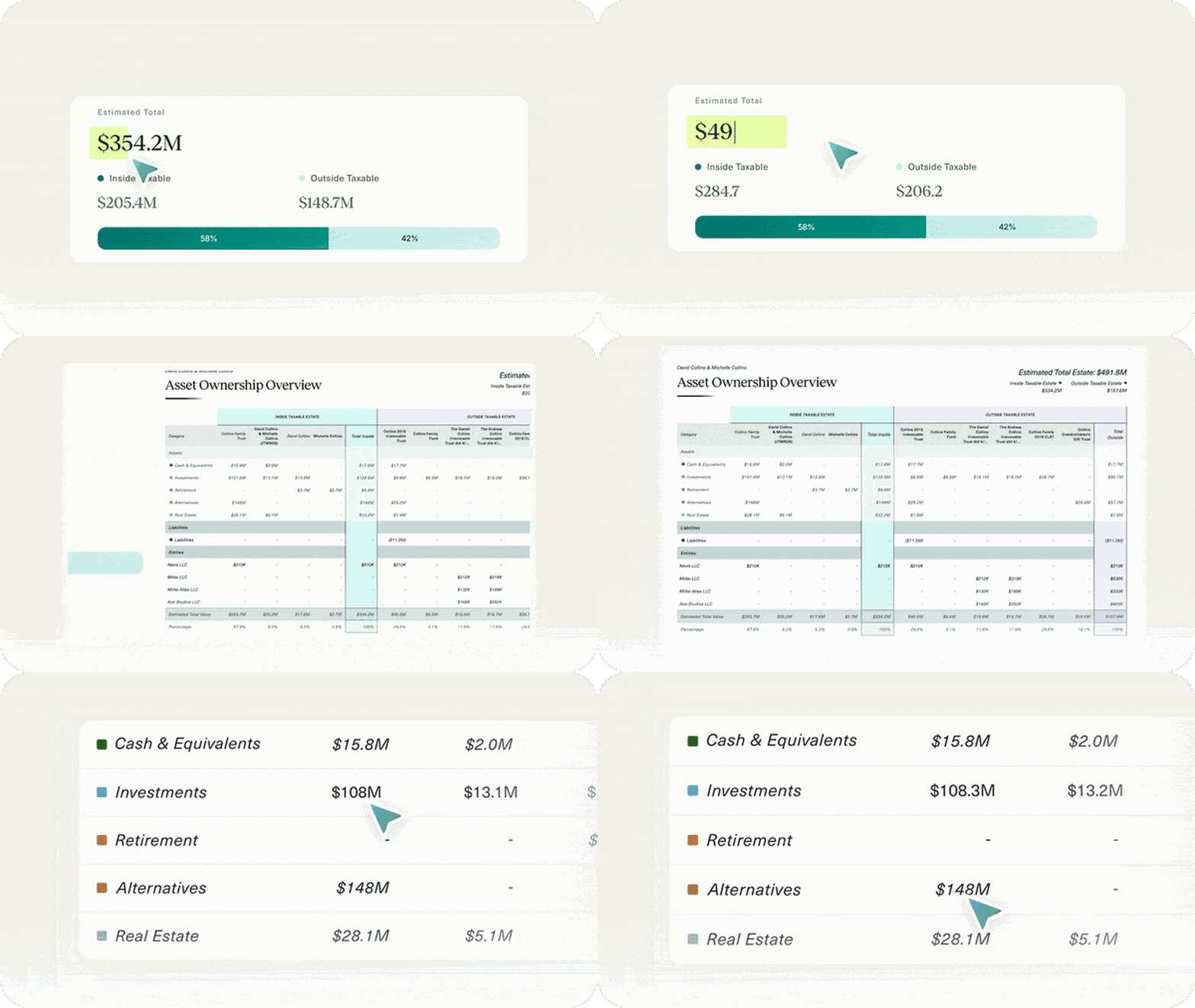
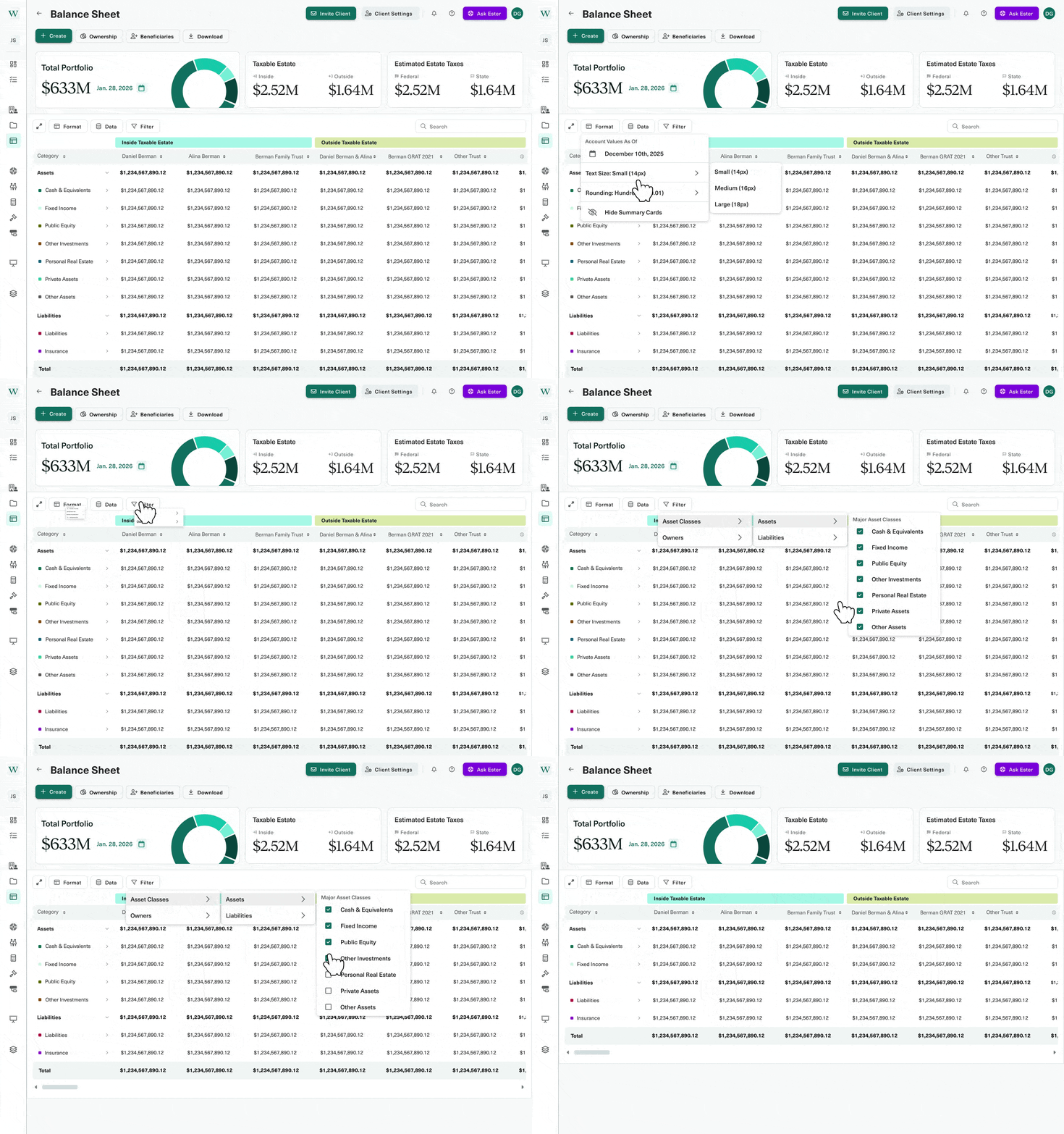
Advisors can rearrange columns for inside and outside the taxable estate, giving you more control over customizing your setup to work for your needs. On the Ownership Balance Sheet page, locate the Settings gear icon, select “Edit Column Order”, and easily drag and drop from there. Also within Settings, advisors can set their default view to expand all rows for those seeking detailed visibility in the balance sheet.

One-Click Downloads for Client Documents

Easily Download from Document Checklist View

We’ve made it even easier for advisors to download client documents, starting with the Document Checklist View. Advisors can select the three dots next to any client document and select “Download”. One less click, one less step. While this might seem like a minor change, it’s one of the many ways we’re modifying the platform for a more seamless experience.

Note: Some features are currently rolling out and may not be available on all accounts.

Ready to put these updates to work?

Between our new mobile notary service and Snapshot Reports, there’s never been a better time to see Wealth.com in action. Schedule a quick demo with our team and discover how these enhancements can deepen client relationships and streamline your advisory workflow. Book your demo today and turn August’s momentum into year-round growth.

What We Launched at Wealth.com’s 2025 Summer Product Event

The Highlights:

  • Massive momentum: Cetera (12,000+ advisors), Schwab strategic investment, and Commonwealth exclusivity (2,300+ advisors).
  • Live today:
    • Smarter documents & reports (PDF-embedded signer checklists, standardized page numbering, custom report pages).
    • Ester® AI upgrades: open-ended Q&A, side‑by‑side answers from Gemini, Claude, Meta & Mistral, linked citations, follow‑ups with context, rich text editor, folder-level uploads, and more.
    • Planning enhancements: Ownership Balance Sheet flexibility, EstateFlow auto-populated tax & exemption data, client creation without email.
    • Security: SOC 2 Type II, PCI-DSS, AES‑256, per-document keys, and Vault upgrades (multi-file upload, “Presentation Materials” category).
    • Advisor enablement: Advisor Marketing Kit and Wealth Academy (self-paced, CE-ready content coming).
  • Coming later this year: Atomic Components—full visual, layout, and brand-level customization of Wealth.com.
  • New service: Mobile Notary—$175 for one document, $300 for an entire plan, with personalized scheduling to meet your clients where they are.
  • Stay current: Real-time legal and tax updates (including Washington’s estate tax changes and DC’s One Big Beautiful Bill Act) flow directly into EstateFlow, Report Builder, and more.
  • Save the date: The Estate Planning Conference — January 26–28, 2026, Montelucia Resort, Scottsdale, AZ. Admiral William McRaven, Michael Kitces, and Larry Fitzgerald will headline the event.

A year of momentum, and we’re just getting started

At the event, Co-Founder & CGO Tim White walked through a run of milestones that underscore how quickly estate planning is moving from “nice to have” to core infrastructure for modern wealth management:

  • April: Partnership with Cetera brings Wealth.com access to 12,000+ advisors nationwide.
  • Two weeks later: Charles Schwab makes a strategic investment—pairing modern, AI-driven innovation with a legacy of fiduciary trust.
  • May: We booked the Montelucia Resort for our first-ever industry conference—The Estate Planning Conference—January 26–28, 2026.
  • June: WealthManagement.com names Wealth.com a finalist in six categories, including Estate Planning Tech, AI Innovation, and CEO of the Year.
  • The very next day: Commonwealth Financial Network selects Wealth.com as its exclusive estate planning solution for 2,300+ advisors.

These aren’t isolated wins—they’re a signal of where the industry is going and who’s building the rails.

What’s live now: Platform innovations & AI enhancements

Danny Lohrfink, Co-Founder & Chief Product Officer, showcased the product you can use today, not a roadmap.

Sharper document & reporting workflows
  • PDF-embedded signer checklists with exact page references and signature guidance.
  • Standardized page numbering across multi-document plans for a seamless client experience.
  • Report Builder, upgraded: Insert custom pages with editable text—think Goals & Objectives, Decision Makers summaries, and firm-branded takeaways.
Ester® gets (a lot) smarter

Ester®, the first AI legal assistant trained specifically on estate planning documents, just received major upgrades:

  • Ask open-ended questions (“Does this trust allow discretionary distributions?”).
  • Model transparency: See side-by-side answers from Gemini, Claude, Meta, and Mistral.
  • Linked citations in the Executive Summary—hover to see precisely where answers came from.
  • Conversational follow-ups with full context for deeper exploration.
  • Rich text editor to format and personalize replies before sharing.
  • Folder-level uploads: Drop an entire estate plan (trusts, wills, directives, etc.) and Ester® reviews it all at once.
  • One-click feedback helps our in-house AI team continuously improve.
Faster, cleaner planning
  • Ownership Balance Sheet: Rearrange columns, visually separate in- and out-of-estate assets, and set custom historical valuation dates.
  • EstateFlow: Auto-populates exemption and state-specific tax rates based on the client’s address.
  • Client creation without email: Stand up models and reviews faster—perfect for prospects or uninvited household members.
Security, elevated

Trust is non-negotiable. Wealth.com is SOC 2 Type II and PCI-DSS certified; data is encrypted in transit (TLS 1.2+) and at rest (AES-256), and every document has a unique encryption key. The Vault now supports multi-file uploads and a new “Presentation Materials” category for easy storage and sharing of client-ready deliverables.

Coming later this year: Atomic Components

Think of this as granular control over every pixel. Fonts, colors, layouts, interactions—everything can be configured to reflect your brand. Our goal isn’t to extend your brand. It’s to let our outputs become your brand. Rollout begins later this year.

Legal experience & Mobile Notary (live today)

Alaina Lacter, Senior Product Counsel, highlighted how our in-house legal team—with experience from Willkie Farr & Gallagher, McDermott Will & Emery, Commonwealth, Fox Rothschild, and more—keeps you aligned with evolving law and regulation.

Introducing Mobile Notary (now available)
  • Request directly from Wealth.com—we coordinate with your client to schedule the notary (and witnesses, if needed).
  • Clients can initiate it, too, right from their portal—advisors stay in-the-loop without the back-and-forth.
  • Simple, transparent pricing:
    • $175 for a single document
    • $295 for a full estate plan

No more delays due to logistics. Higher completion rates, faster turnarounds, and a better client experience.

Note: Some accounts may not have access to mobile notary yet.

Real-time legislative updates, built in

From Washington State’s estate tax changes to DC’s One Big Beautiful Bill Act, our legal + product teams push updates directly into EstateFlow, Report Builder, and all tax/exemption logic—so you never operate on stale numbers.

Want to go deeper on the One Big Beautiful Bill? Visit Wealth.com/OBBB for:

  • A CFP CE-eligible session led by in-house counsel Dave Haughton
  • Client-ready PDFs that clearly explain what changed and why it matters
  • More resources to help you turn hundreds of pages of legislation into minutes of clarity

Integrations, marketing enablement & education

David Thompson, VP of Product Strategy, walked through how we’re expanding the Wealth.com ecosystem so estate planning snaps directly into your tech stack and client journey.

Deeper, faster integrations
  • eMoney: Import client profiles and asset data in seconds—no manual entry.
  • Black Diamond: Bring in client assets and flow them throughout the platform.
  • More coming soon: Advyzon, Orion, and MoneyGuide Pro.

Check our integrations page for the latest lineup.

Announcing the Advisor Marketing Kit (available today)

Everything you need to launch, promote, and scale your estate planning offering:

  • A three-part email campaign
  • Customizable press release
  • Client presentation deck (in-person or virtual)
  • Office flyers & posters
  • Six social media graphics (multiple colorways)
  • Animated explainer video with your logo
    Folder design template for printed materials
Wealth Academy
  • Wealth Academy: Our new learning hub, with self-paced courses that mirror the in-app experience—plus advisor-led sessions, CE content, and more on the way.

A follow-up email to all attendees will include the full recording and a direct link to the Advisor Marketing Kit.

See you in Scottsdale: The Estate Planning Conference (Jan 26–28, 2026)

Tim White and Danny Lohrfink closed with one more big invite:

We’ve bought out the Montelucia Resort in Scottsdale for The Estate Planning Conference—a first-of-its-kind, industry-defining event for modern advisors and firm leaders.

Keynotes & featured speakers include:

  • Admiral William McRaven
  • Michael Kitces
  • Larry Fitzgerald

If you’re building for the future of wealth management, this is where you need to be. Reserve your spot at Wealth.com/EstateCon.

Watch the recording. Talk to us.

We’re just getting started. Thanks for building the future of estate planning with us.

What’s New in Wealth.com: July 2025 Product Updates

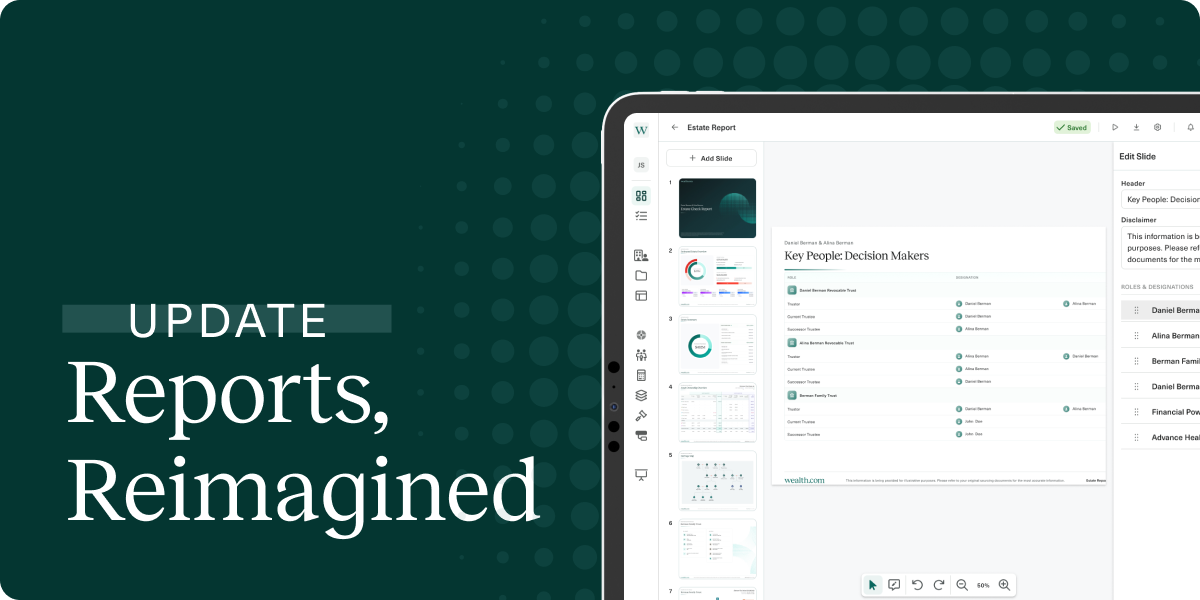
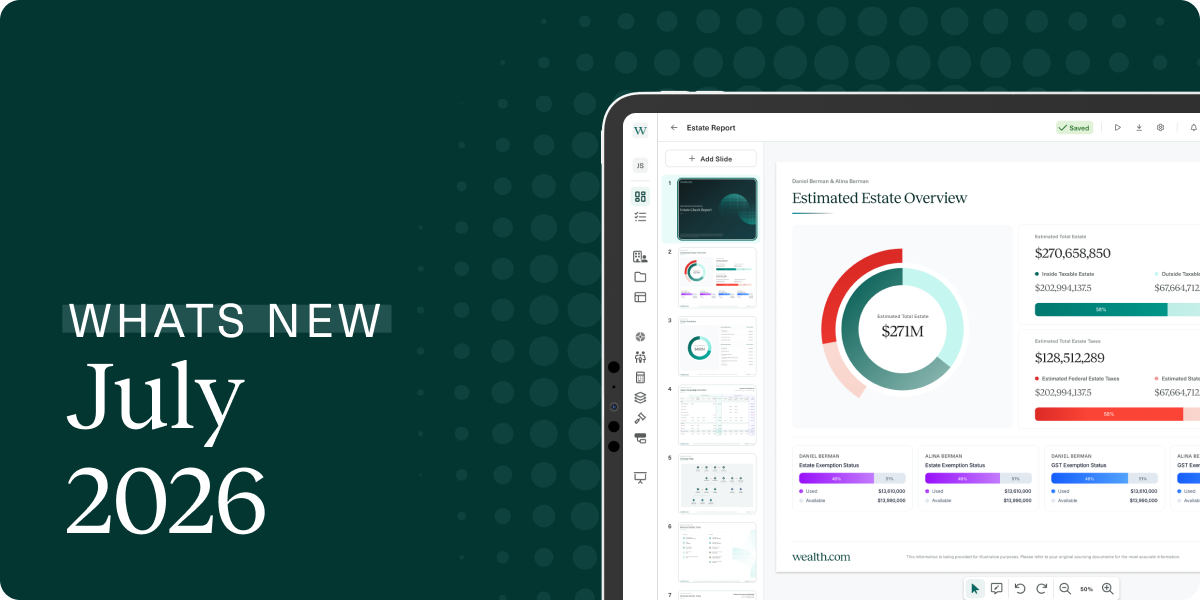
July has been a newsworthy month, with the recent passing of The One Big Beautiful Bill Act (OBBBA), which we covered in a recent webinar. In addition to covering news updates that impact your clients, we also have some exciting product updates that you (and your clients) might appreciate too, including our upgraded Wealth Academy, decision-makers summary in ReportBuilder, and more.

Re-Introducing Wealth Academy

Our Revamped Learning Management System

We’re excited to introduce the newly improved Wealth Academy, our dedicated learning hub featuring online courses designed to help you get the most out of the Wealth.com platform. These self-guided tutorials are thoughtfully curated to mirror your in-app experience, making it easy to learn at your own pace.

Within Wealth Academy, you and your team can dive into courses like “Client Profile Tools & Capabilities” to support smooth onboarding, or “Ester AI Extraction” to explore new features such as “Ester Q&A”.

To access the Wealth.com Academy, navigate to the Help & Support tab and select “Academy”. You’ll immediately receive an email from [email protected] with the subject “Welcome to the Wealth.com Academy!”. Please use the link in that email to register your account and create your password, then start learning!

Decision Maker Summary in ReportBuilder

Identify Opportunities for Parties Involved

We heard that you wanted a holistic overview of fiduciaries to present to clients in reports, and we delivered! Now, advisors have the option to include a slide summarizing all key decision makers across estate planning documents in the Report Builder. This improvement gives you more visibility so you can proactively address any challenges and better identify opportunities for clients.

Rich Text Editing in Ester® Executive Summary

More Intuitive Formatting, Professional Results

Thanks to user feedback, we’ve updated Ester®’s Executive Summary to now have rich text editing abilities. What does this mean for you? Instead of a standard text box, advisors can now access more robust formatting options like adding bullets, numbering, headings, bolded and italic text. Just be sure to use it wisely. (See what we did there?)

Ready to put these updates to work?

Between the OBBBA insights, our upgraded Wealth Academy, and the new decision-maker tools in ReportBuilder, there’s never been a better time to see Wealth.com in action. Schedule a quick demo with our team and discover how these enhancements can deepen client relationships and streamline your advisory workflow. Book your demo today and turn July’s momentum into year-round growth.

Want to see our best product upgrades and enhancements yet? You don’t want to miss our Summer Product Launch happening next Wednesday at 11am PT / 2pm ET. Save your seat today at https://hello.wealth.com/wealth.com-summer-2025-product-launch.

What’s New in Wealth.com: June 2025 Product Updates

We’re halfway through the year, and the Wealth.com team has been hard at work bringing you smarter, sleeker tools to make estate planning easier and more personalized. From improvements to document formatting and signer experience, to enhancements in report customization, scenario comparisons, and AI-driven insights, this month’s updates are packed with meaningful upgrades for advisors and their clients.

Signing Checklists Now Included in PDFs

Standardized Formatting for a Cleaner Experience

You asked, we listened. We reduced the number of documents that restart their page numbers, making it easier for you to follow one consistent sequence when locating where to sign. Users can now enjoy personalized guidance with signer-specific columns and direct references to the exact pages where signatures are required. This is applied across all six documents: IRT, JRT, AHCD, FPoA, and NoG, for both signers and co-signers. Please note this only applies to newly generated or edited PDFs, it will not apply retroactively to existing documents.

Insert Custom Pages in Report Builder

Personalization Where You Need It

In Report Builder, you can insert a custom page and add editable text. This allows you to add a personal touch for adding sections like “Goals and Objectives” or “Key Takeaways” to customize reports for clients.

Import Clients Directly from Black Diamond

Adding Clients All in One Go

To minimize manual data entry, advisors can import clients directly from their Black Diamond account. This carries over all their assets to inform other parts of the platform as you’re drafting documents. Simply go to your dashboard to click Add Client, and select Import Clients. From there, select Black Diamond and you’ll see a list for clients to import. Select the ones that you’d like to import and let our platform do the rest!

Give Feedback on Q&A Responses

Improving the Quality of Ester AI

Next time you ask Ester™ a question about a document you’re reviewing, you can provide feedback on the quality of the answer given to you. Choose the thumbs up icon to indicate if you received a good response, or the thumbs down icon if you received a poor response. By providing this feedback, our teams are able to proactively fix any issues and make adjustments so that Ester™ continues to provide insightful feedback.

View Ester® Citations in Executive Summary

Less Guesswork, More Clarity

Advisors can see multiple citations in one pagers to understand what information Ester® is using to generate the Executive Summary. Simply scroll the end of the one pager to see a full bibliography of citations in a clear view.
Each of these updates reflects our commitment to creating a more intuitive and insightful experience for you and your clients. Whether it’s simplifying document signing, personalizing reports, or improving AI-powered insights, we’re continually building with your feedback in mind. As always, thank you for being part of the Wealth.com community—we’re excited to keep innovating with you.

What’s New in May 2025: Standalone Calculators, New Tools, and Ester® Enhancements

We’re turning up the dial this May with new tools that simplify analysis, streamline workflows, and enhance clarity in client communication. Whether you’re running projections on complex trust structures or signing estate documents with ease, this release equips you with more precision and flexibility across the board.

From the newly unlocked Heritage Map to enhanced Ester document transparency, dive into what’s new this month—and what it means for your day-to-day.

Analyze Trust Strategies in a Click

Standalone Calculators for Irrevocable Trusts & State Estate Tax Analysis:
Access Standalone Calculators to consider the impact of state estate taxes, as well as various estate planning strategies, including Grantor Retained Annuity Trusts (GRATs), Spousal Lifetime Access Trusts (SLATs), and more. This means quick, one-off analyses are just a few clicks away—perfect for exploring scenarios or fielding fast client questions without building a full plan.

Ester® Adds Clarity and Confidence

Visual Boundaries for Document Insights:
Bounding boxes are back in Ester’s Executive Summary and Q&A, making it crystal clear where information has been pulled from in the source document. This visual cue helps to navigate reviews and confirmation of information with confidence.

New Tools at Your Fingertips

Heritage Map for All Advisors:
The interactive Heritage Map—once exclusive to Family Office SuiteTM Advisors—is now available to all. Simply add your client’s family members to create a family tree visual that you can walk through in detail with your clients. Deepen conversations about legacy planning with your clients by understanding family dynamics and identifying tax efficient ways to transfer assets to beneficiaries.

Smarter Document Workflows

Enhanced Signing Guidance and Consistency:
A new document signing checklist embedded directly in Wealth.com documents makes the process clearer for clients to sign their estate planning documents with greater guidance. Expect labeled signature spots, consistent page numbering, and standardized footers across document types.

eMoney Integration Gets Even Smoothe

Prevent Duplicates, Preflight Without Emails:
You can now avoid duplicate contact cards when linking eMoney profiles to existing Wealth clients, and Advisors can now preflight clients even if their eMoney profile lacks an email address.

Try It Today

Log in now to run a quick trust calculation, explore a client group scenario, or review your documents with Ester’s new visual guidance. Everything we shipped this month is designed to make your planning sharper, your conversations clearer, and your workflows smoother. Questions or feedback? Your Partner Success Manager is always just a message away through the in-app chat.

What’s New in April 2025: Ester® Q&A, eMoney integration, and more

Spring is all about fresh starts and this month’s release delivers exactly that. From AI that can field your nuanced estate‑planning questions to a one‑click eMoney integration that auto‑loads client data, we’ve focused on turning hours of manual work into minutes. You’ll also find new ways to customize the Ownership Balance Sheet, tighter guard‑rails that prevent data gaps, and a long list of UX polish inspired directly by your feedback. Dive in below, and let us know what you think!


Ask Ester Anything and Bulk Upload

Free-form Q&A, multiple AI perspectives

Ester already parses estate‑planning documents and surfaces key details. Now it also answers your open‑ended questions like, “Does this trust allow discretionary distributions?” and shows side‑by‑side answers from four leading models (Gemini, Claude, Mistral, Meta). Compare viewpoints instantly, gain clarity faster.

Review entire document sets at once

Have a client with a will, trust, and healthcare directive? Drag‑and‑drop the whole folder and let Ester run concurrent reviews. No more uploading one file at a time.


eMoney integration: Import Clients & Assets in Seconds

Connect your eMoney credentials, choose the households you want, and watch Wealth.com pull in client profiles and asset data automatically. With live numbers at your fingertips, you can model strategies with confidence. No CSV jockeying required.

Coming soon: two‑way vault sync so the latest documents stay aligned in both platforms.


Ownership Balance Sheet: Customized Visual Enhancements

Advisors can now rearrange the order of columns on the ownership balance sheet making it easier for them to organize the balance sheet based on client preferences. Any changes made to the organization of the balance sheet will also be displayed in Report Builder, using continuity of data structure.

Advisors can also more clearly differentiate between assets that are held inside their clients’ estates compared to assets held outside the estates. This provides a quick visual check when considering different estate planning strategies.


Additional Improvements

  • Smart validations on Asset, Trust, Will and Entity Cards to guide advisors to add missing information and fix errors to ensure that calculations and data flows correctly in EstateFlow and the Report Builder
  • From the Vault, advisors and clients can now upload multiple files at once.
  • From the Report Builder, advisors have the option to save a version of the report to the Vault in a new category ‘Presentation Materials’ for future retrieval and to share with clients, alongside making the Settings and Download to PDF / PPT options more accessible with design tweaks based on user behavior
  • Client profiles minus email: Advisors no longer have to provide an email address for a client when creating their profile in Wealth, streamlining the account creation process for clients who will not be invited to Wealth
  • Estate auto-populate: When an Advisor enters the amount of the exemption a Client has used from the Estate Tax Liability Slide, that value will populate automatically in the EstateFlow configuration panel. The state estate tax rate will also populate based on the Client’s address. This will prevent Advisors from having to manually enter these values in multiple places throughout the platform
  • Historical asset values: Advisors can now select a custom “as of” date on the OBS to show asset values on a certain date, helping them streamline their client reporting.

Try It Today

Sign in and test‑drive today’s release inside your own dashboard. Bulk‑upload a client’s documents to Ester, integrate a household from eMoney, or rearrange the Ownership Balance Sheet to fit your story. As always, every note and idea you send shapes what we build next, so keep the feedback coming through in‑app chat or with your Partner Success Manager.

Wealth.com Announces Strategic Integration With eMoney to Deliver Streamlined AI-Powered Estate and Financial Planning Capabilities for Advisors

PHOENIX – Wealth.com, the leading digital estate planning platform for financial advisors, today announced a strategic integration with eMoney Advisor, a leading provider of technology solutions and services that help people talk about money. This integration will empower financial advisors on the Wealth.com platform to deliver more efficient, accurate and holistic estate and financial planning solutions to their clients. Upon launch, advisors will be able to eliminate manual data entry and ensure real-time synchronization of financial data for a more fully integrated, AI-powered wealth management experience.

“Financial advisors have long been impeded by fragmented tools and time-consuming manual processes that have historically been part of the estate and financial planning process,” said Danny Lohrfink, co-founder and chief product officer at Wealth.com. “Our integration with eMoney eliminates that friction for wealth managers and will help them to deliver more accurate and timely estate planning advice to their clients.”

With this integration, available this month, advisors can incorporate eMoney data within the Wealth.com platform to accomplish the following:

  • Eliminate Duplicative Data Entry: Reduce administrative burden and reclaim time by streamlining workflows across estate and financial planning platforms.
  • Ensure Data Consistency and Integrity: Minimize risk and error with real-time synchronization of key financial data, ensuring advisors and clients always operate from a single source of truth.
  • Deliver a Unified Planning Experience: From the first financial projection to the final legacy document, advisors can now guide clients through a cohesive, tech-enabled journey that builds trust and deepens engagement.

With recent market volatility, firms are increasingly turning to holistic planning as a safe haven to deliver value beyond portfolio performance. Legacy and estate planning have become essential pillars for building client trust and driving long-term retention. This strategic integration between Wealth.com and eMoney empowers firms to offer a unified estate and financial planning experience that helps advisors provide stability, clarity and enduring value in any market environment.

“We’re committed to streamlining and strengthening the financial planning process by offering powerful integrations with premier solutions that address diverse client needs,” said Luke White, group product manager at eMoney. “We’re pleased to offer this integration with Wealth.com to help our joint clients build stronger client relationships through accessible, automated and efficient estate planning.”

Wealth.com is the preferred estate planning platform for more than 800 wealth management firms, continuously increasing its capabilities to further enhance the advisor-client experience. In addition to this strategic integration, Wealth.com recently launched its Scenario Builder tool, the first all-in-one estate planning modeling tool designed to give advisors, wealth planners and estate attorneys insights into the potential impacts of various strategies on a client’s estate. With this partnership and recent innovations, Wealth.com continues to meet the increasing demand for premier estate planning services.

To learn more about Wealth.com’s advanced, end-to-end estate planning platform, please visit Wealth.com.

About wealth.com

Wealth.com is the industry’s leading estate planning platform, empowering 800+ wealth management firms to modernize the delivery of estate planning guidance to their clients. As the only tech-led, end-to-end estate planning platform built specifically for financial institutions, Wealth.com helps drive scale and efficiency, meeting client needs across the wealth spectrum. Financial advisors ranked Wealth.com as the #1 estate planning platform in the 2024 T3/Inside Information Advisor Software Survey. In 2024, Wealth.com was honored by WealthManagement.com as the ‘Best Technology Provider’ in the Trust category, and CEO Rafael Loureiro received the Advisor Choice Award for Technology Providers: CEO of the Year.

About eMoney Advisor, LLC

eMoney Advisor, LLC (“eMoney”), based in Conshohocken, Pennsylvania, is the only wealth-planning system for financial advisors that offers superior transparency, accessibility, security, and organization for everything that affects their clients’ financial lives. A technology envisioned and created by advisors for advisors, eMoney’s award-winning software and resources are tailored to transform the advisor’s ability to implement comprehensive financial plans and prepare their clients for a secure financial future. For more information, please visit: www.emoneyadvisor.com.

Contacts

MEDIA CONTACT:

StreetCred PR
[email protected]

Hannah Dixon
317-590-0915
[email protected]

Rob Farmer
415-377-3293
[email protected]

1 2 3 4